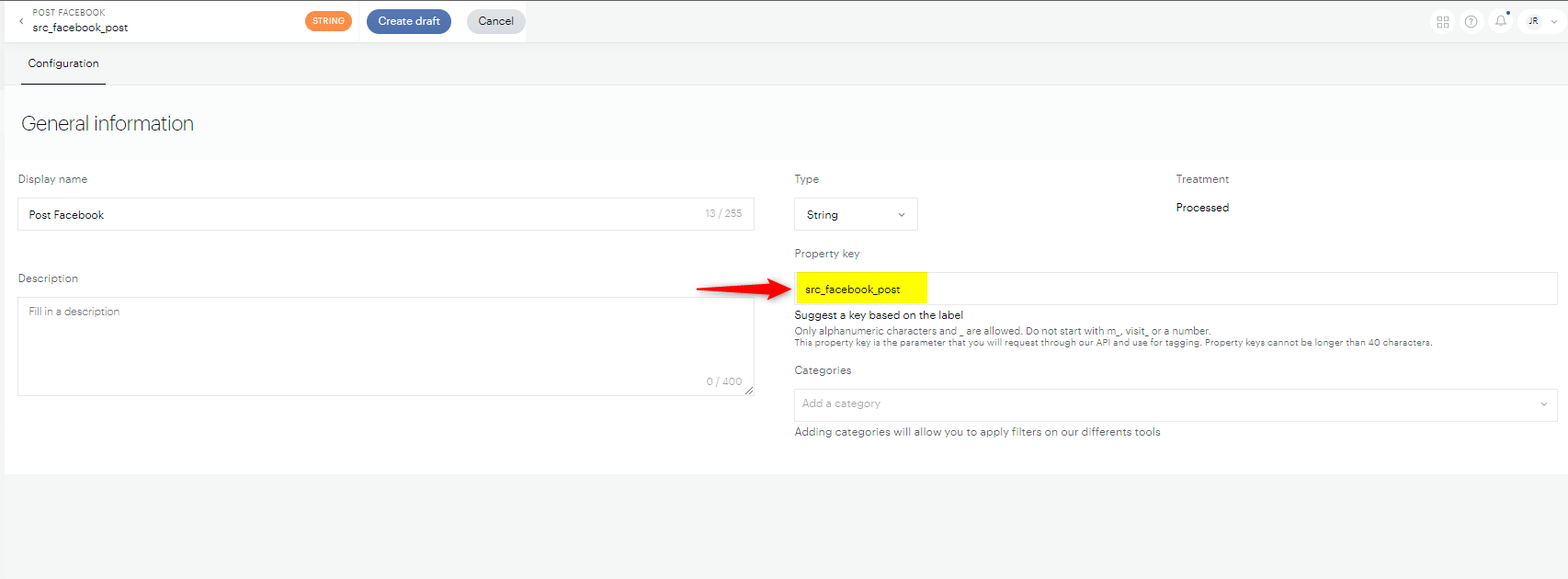
Yes, but you need to add the post information to your links yourself. Facebook doesn't pass the post a visitor clicked on to your site, so Piano Analytics can't detect it automatically. You can identify the post in two ways: add a custom campaign parameter to your URLs, or use Social Insights.
Facebook referral data
When someone clicks a link on Facebook, your site receives only two things:
-
Referrer: a generic Facebook domain (for example,
facebook.com,m.facebook.comorl.facebook.com). This tells you the visit came from Facebook, but not which post or page. -
fbclid parameter: a click identifier that Meta adds to outbound links. It's an encrypted value that only Meta can read. Piano Analytics can't turn it into a post ID or post name.
To know which post brought a visit, the post must be identified in the link at the time you publish it.
Meta Ads Manager has dynamic URL parameters such as {{campaign.id}}, {{campaign.name}}, {{adset.id}}, {{ad.id}}, {{ad.name}}, {{placement}} and {{site_source_name}}. These only work for paid ads. Meta has no dynamic parameter that returns the ID of an organic post.
Method 1: Add a custom campaign parameter
This method uses Piano Analytics marketing campaigns. You add your own parameter to the link in each post, then declare a matching property in your Data Model so the value is collected. Campaign parameters can start with at_ or utm_. Either way, Piano Analytics turns them into properties that start with src_.
-
In Data Management, create a custom property in your Data Model. Its property key must start with
src_to belong to the source properties. For example,src_facebook_post. See Properties | Creation. -
When you publish a post, add the matching parameter to the link, with
src_replaced by your campaign prefix. Use a value that identifies the post, such as an internal ID or a short name. See the examples below. -
Publish the post. Visits from the link fill the
src_facebook_postproperty, and you can use it in your analyses like any other property.
Example with at_ parameters
https://www.example.com/article-slug?at_medium=facebook&at_campaign=october_contest&at_facebook_post=post_12345
Example with utm_ parameters
If you already tag your links with UTM parameters, you can keep that format and add your post parameter with the same prefix:
https://www.example.com/article-slug?utm_medium=facebook&utm_campaign=october_contest&utm_facebook_post=post_12345
Method 2: Use Social Insights
Social Insights measures how your posts perform on Facebook and X: views, likes, shares and engagement. Once you connect your Facebook account, Piano collects this data automatically.
Social Insights can also link each post to the visits it brings to your site. To do this, you add a dedicated parameter, utm_pid, to the link in each post. The post's performance on Facebook then sits next to what its visitors did on your site, such as page views, engagement, subscriptions and conversions. For example, you can compare two posts sharing the same article and see which one brought in more subscribers, not only more likes.
To connect your account and tag your posts, see Setting up Social Insights.
To report by post, use the SI - Post name property (soi_post_name). It holds the post's headline. For the full list of properties, see the Social Insights data model.