
Creating a donation experience is as easy as creating any payment offer. To collect donations or additional funding, simply use the “Allow users to pay more” feature within a Payment Term.
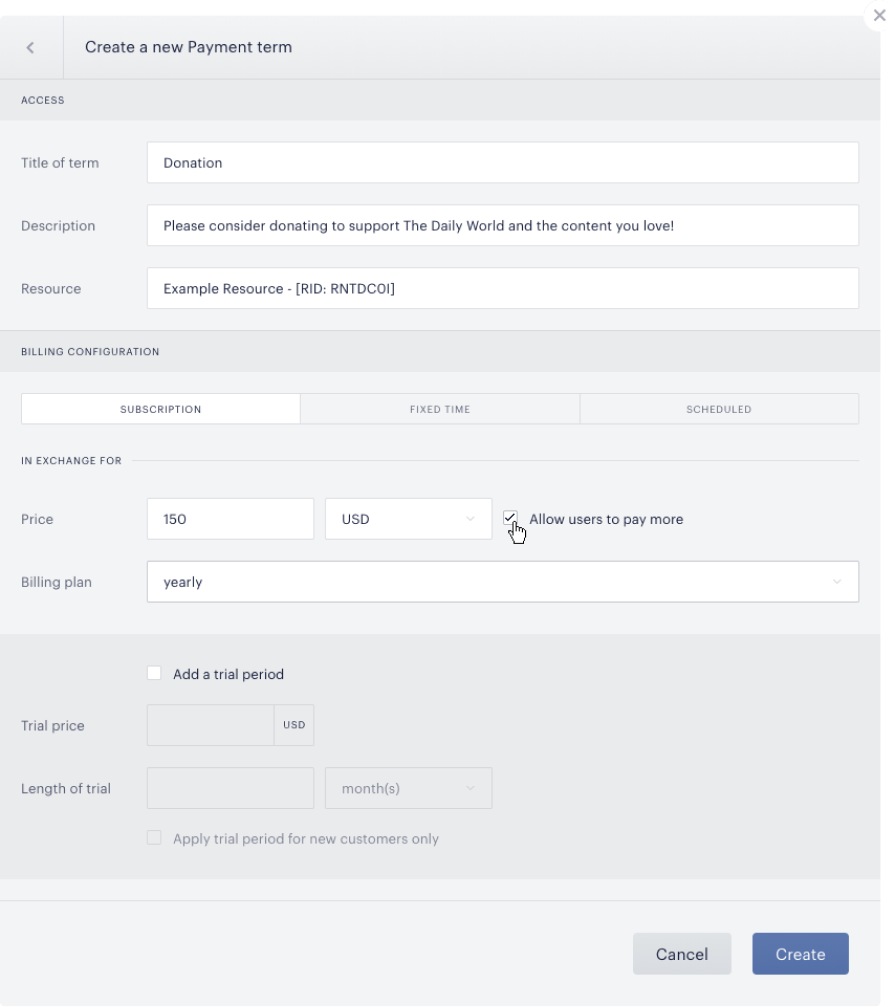
The “Allow users to pay more” feature makes the price field editable for users. This is available on subscription payment terms and fixed time payment terms. The price you set is the minimum accepted payment amount, and the minimum price for either term type must be greater than zero. Be sure to choose a minimum that makes sense based on the transaction fees set by your payment provider.
A subscription payment term will charge the user the donation every month, so the price they input on checkout will be their recurring price going forward. A fixed term will naturally act as a one-time donation.
On checkout, the user will see an input field that they can populate. They will be allowed to pay any amount equal to or greater than the price set in the term.