
API Permissions
Every client user can have permissions to access the Subscription Management + Billing API with an API token. There are two types of tokens that can be used for this purpose:
-
Application-level token — Visible only to client users with Admin permissions.
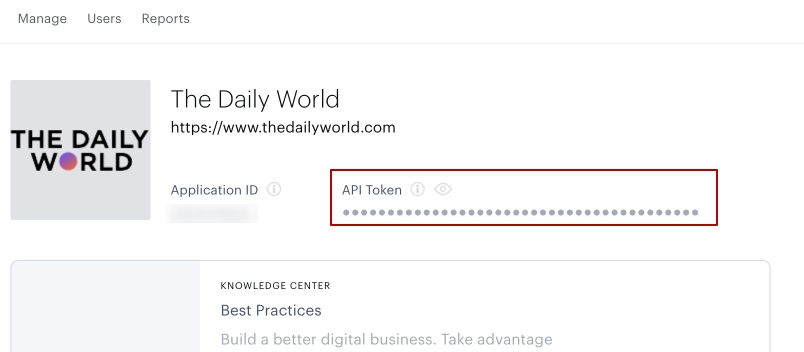
-
User-level token — Visible to any client user who has permission to view this token in the account settings section. This token provides the same level of access as the application-level token and can be used by the client user to access any Piano Management + Billing API.
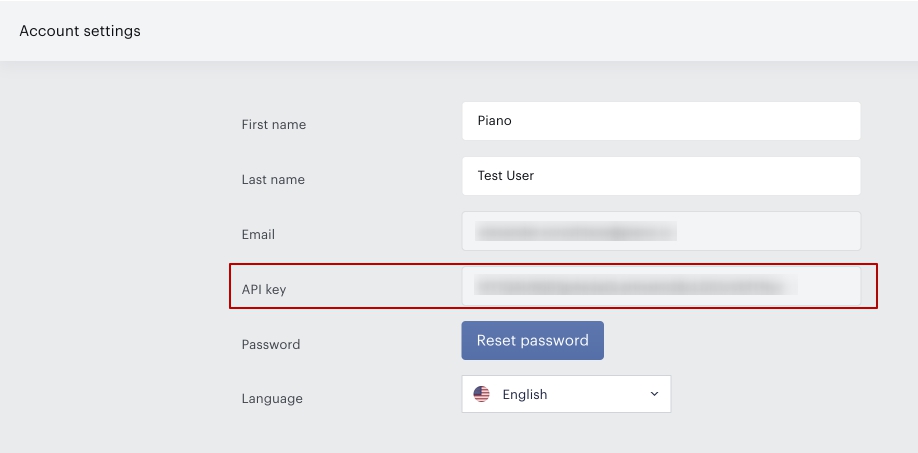
This permission can be specifically set for any client user by client admins in the Team Manager.
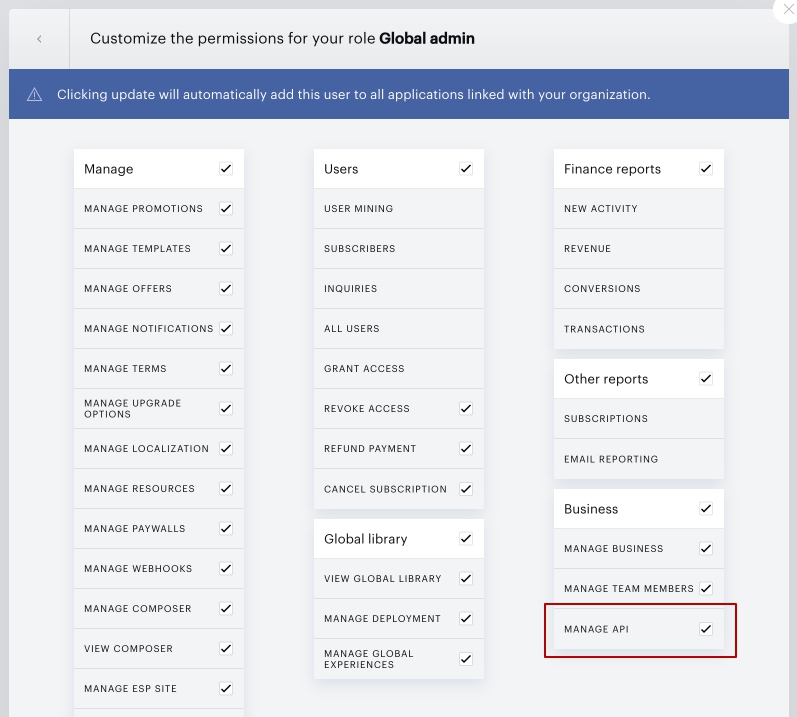
When a user's permission to view the token is removed, the user-level token for that specific user will be rotated to prevent unauthorized access to the API.
User-Level Token API Scope
User-level tokens have a more limited scope than application-level tokens. While application-level tokens can be used with any Piano Management + Billing API endpoint, user-level tokens can only be used with a specific subset of endpoints.
For Identity Management APIs, user-level tokens are currently supported only on the following endpoints:
|
Method |
Endpoint |
Description |
|---|---|---|
|
POST |
|
Create or update custom field values |
|
GET |
|
Get user audit |
|
GET |
|
Get user aliases |
|
POST |
|
Set user aliases |
Calls to other Identity Management endpoints made with a user-level token will fail. If you need to call an unsupported endpoint, use an application-level token instead.
API Whitelisting
In the Edit business section of the Publisher Dashboard, Piano clients can configure a list of IP addresses that will be whitelisted to make API calls to the Piano Management + Billing API.
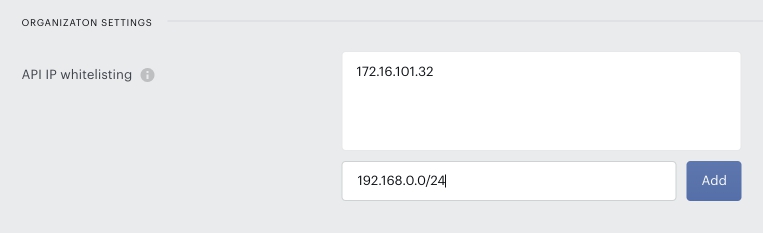
IP restrictions apply only to Subscription Management + Billing API endpoints, not to Reports API endpoints.
You can either leave this field empty (the default value) if you do not want to set any limitations, or fill it with IP addresses and network subsets using CIDR notation if you want to define the IP addresses authorized to make calls to the Piano API with your API key (whether application-level or user-level).
Supported values for the IP address field:
-
IPv4:
192.168.1.0 -
IPv6:
2001:0db8:85a3:0000:0000:8a2e:0370:7334 -
IPv4 range (CIDR):
192.168.1.0/24 -
IPv6 range (CIDR):
2001:db8::/48
Unsupported values:
-
IPv4 range (dash notation):
192.168.0.1 - 192.168.0.200 -
IPv6 range (dash notation):
2001:db8:0:0:0:0:0:0 - 2001:db8:0:ffff:ffff:ffff:ffff:ffff -
Domain names:
domain.name.com