
Socialflow works with publishers and media companies to help power their social content. During the normal flow of user engagement with our customer content on social networks like Facebook, Twitter/X, Instagram, Threads, Pinterest and LinkedIn, some data about the engagement is recorded. This data IS NOT associated with an email address/name, so you would need to take the steps outlined below to opt-out from this type of data collection.
To opt out of any FUTURE data collection, click here. You will need to repeat this step on each device you use (phone/mobile/desktop/tablet etc.) to be fully opted out.
To have PAST device data deleted, follow these steps.
Use these steps to identify your device ID(s) and then send them to privacy@socialflow.com for erasure:
Chrome
-
From the Chrome menu in the top right corner of the browser, select Settings.
-
Click Privacy and Security
-
Click Site Settings
-
Click Cookies and site data
-
Click See all cookies and site data
-
In the search box enter "trib.al"
-
Click the "trib.al" entry
-
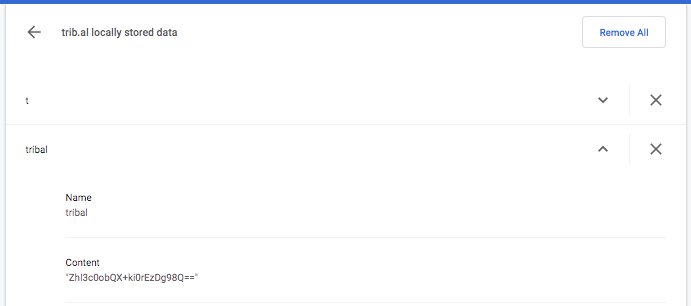
Copy and send the Content entry under the "tribal" dropdown and the one under the "t" dropdown (see image)
-
Repeat the process with each device
-
Send those device IDs to privacy@socialflow.com
Firefox
-
Go to Trib.al
-
Click the Settings icon
-
Click Web Developer > Storage Indicator
-
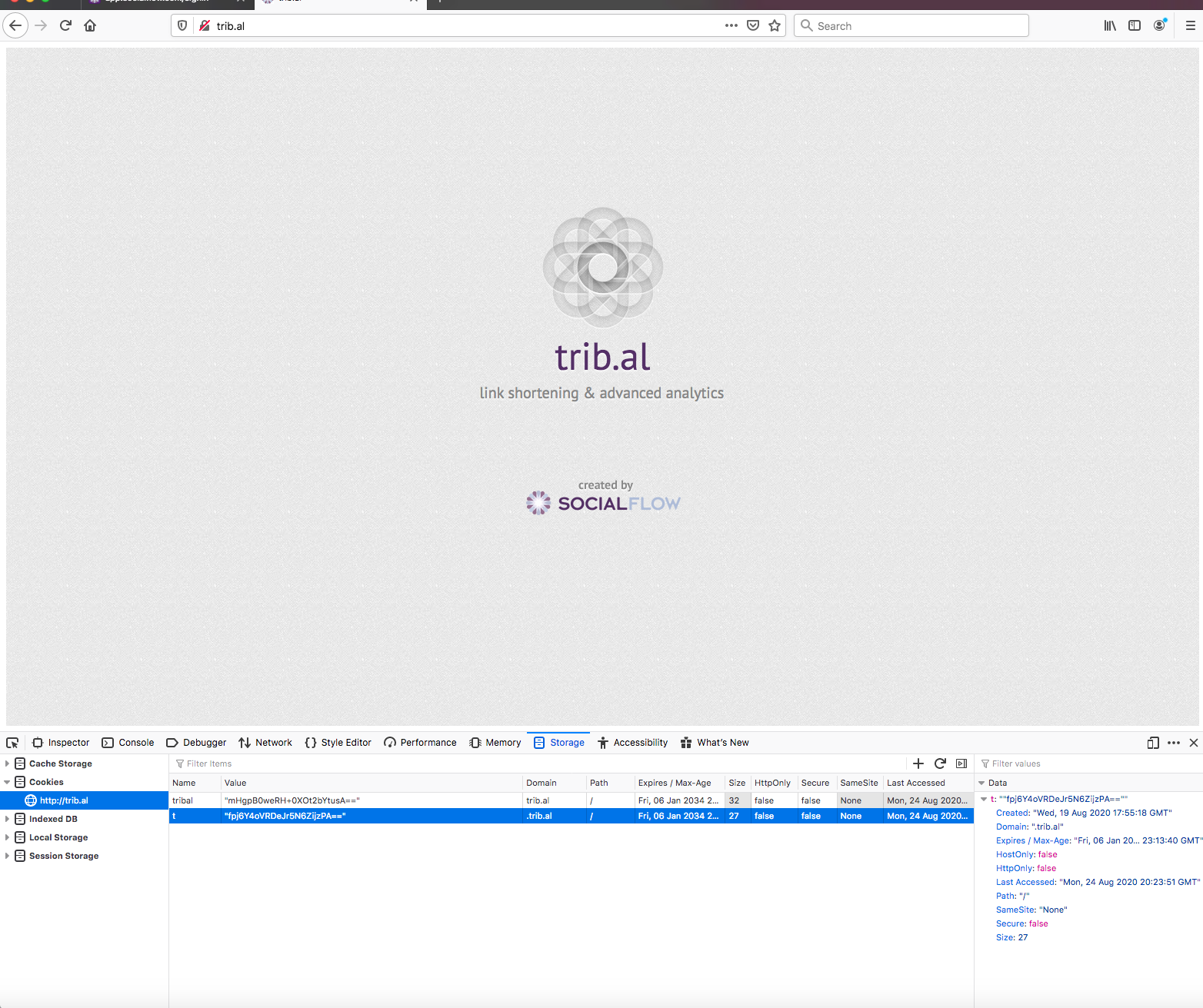
In the Storage Indicator box find the Cookies dropdown
-
select
http://trib.al
and that will give two values tribal and t
-
Copy and send the Content entry in the "t" dropdown (see image)
-
Repeat the process with each device
-
Send those device IDs to privacy@socialflow.com
Using a different browser? Contact support@piano.io and let us know what browser(s) you are using and we will provide additional instructions.