
Listening to your audience with Socialflow will allow you to monitor the engagement and response you are receiving from your fans and followers. You can also search topics and monitor your competitors.
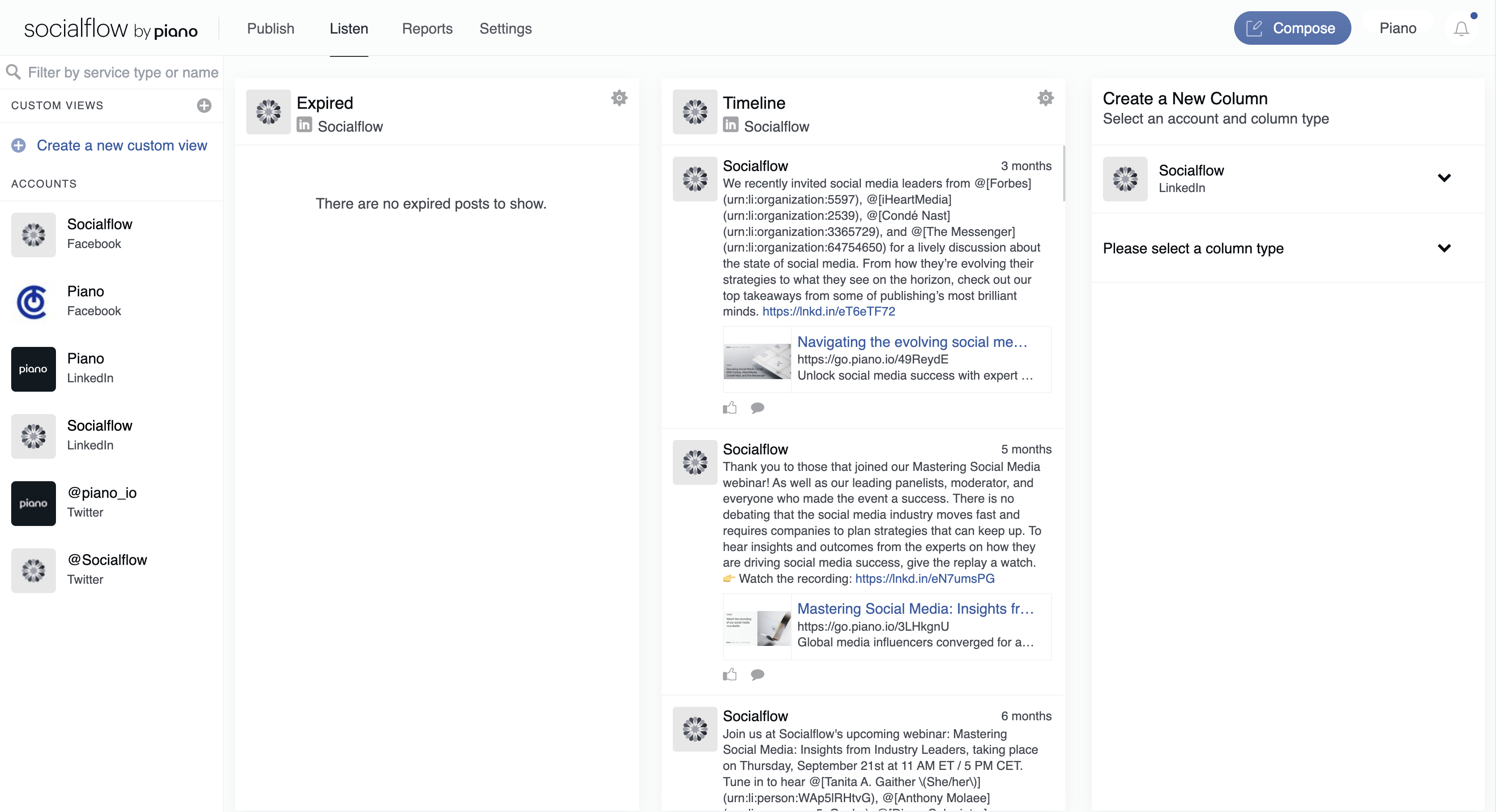
First, click which social account you want to display information for on the left side of the page.
Then open a column available for that account on the right side of the page.
Note: There is a limit of 10 columns per social account.
-
Columns: These are unique to each social network and help you organize and monitor your engagement. The column options are always listed on the right side of the screen after clicking an account. A detailed list of column options are listed below.
-
Custom Views: You can create a custom view to centralize the social accounts and the columns you need the most. For example, you could have view of two Facebook Timelines and a Linkedin Timeline or 10 Page Search columns to monitor competitor's posts.
-
Filter Search: You can filter the Listening view by social network or "service" (just Facebook pages for example) or by social account name.
Each social media network has unique columns, let’s break down what’s available by network:
|
Channel |
Columns |
Actions/Functions |
|
Twitter/𝕏 |
Expired - outdated RSS feed content or Can Send content that didn't publish, with option to send back to the queue |
Send expired content back to queue |
|
|
Timeline - a list of your recent posts and their comments Page Search - an open column to search for other pages, usually competitors or partners
Expired - outdated feed content or Can Send content that didn't publish, with option to send back to queue
Page Mentions – a list of other pages' posts that have tagged or mentioned your page |
See # of Likes, Comments, Shares View Comments Reply as your page Like a Comment as your page Delete a Comment Send expired content back to queue |
|
|
Timeline - a list of your recent posts and their comments Expired - outdated feed content or Can Send content that didn't publish, with option to send back to queue |
See # of Likes, Comments Add Comment to your post as the page Like your own post |
|
|
Boards - a list of recent pins per board |
See # of Likes, Repins View Comments |
|
|
Timeline - a list of your recent posts User Search - an open search column to look up other accounts User Story - a list of recent stories you post, available for 24 hours
Expired - outdated feed content or Can Send content that didn't publish, with option to send back to queue |
See # of Likes, Comments View Comments |