
Please Note: These steps will not apply to custom links using "HTTPS." To set up custom domains that use "HTTPS" please contact support@piano.io.
To enable a custom short domain, you must have access to your domain's DNS.
Please create a CNAME record for your link shortener domain to point to sflow.us. This is required since IP addresses are subject to change.
After that is completed, you should wait at least 48 hours to allow the changes to fully propagate.
After 2 days, follow these steps:
1. Log in to Socialflow and navigate to Settings / Application / Link Shorteners
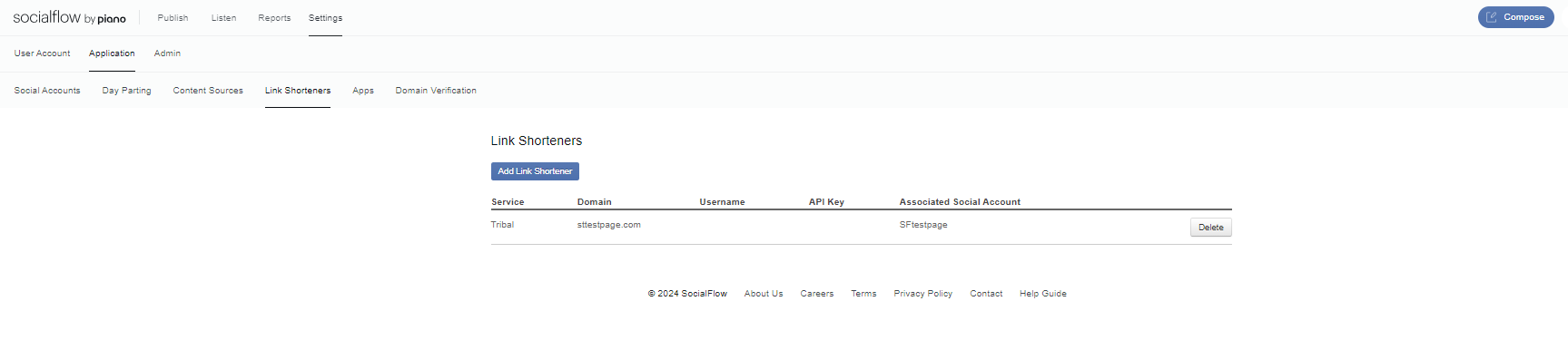
2. Click Add Link Shortener
3. Choose Custom in the first drop down
4. Add your domain
5. Choose Client Wide for all social accounts or choose a specific social account
6. Click Save
Your link shortener is now set up. Give it a test by entering a link into our Compose box and clicking "Shorten Link." If you can click through the link without issue, you have properly set up your own custom short domain.