
Building your product in Piano
Welcome to the Getting Started Guide, Module 3: Building your product in Piano.
In previous lessons, you configured your Sandbox and Production Applications and connected them to your staging and production sites via the Piano scripts. This final module will walk you through:
-
Subscription Building Blocks: Resources, Terms, and Offers
-
Mapping your subscription product to resources, terms, and offers
-
Additional Information on how to build resources, terms, and offers
The Anatomy of a Subscription Offer
In Piano, the set of purchase options that you present to a user is called an Offer. For example, when you go to Digiday’s Subscription landing page, they show you 3 subscription options. The combined set of options is called an offer:
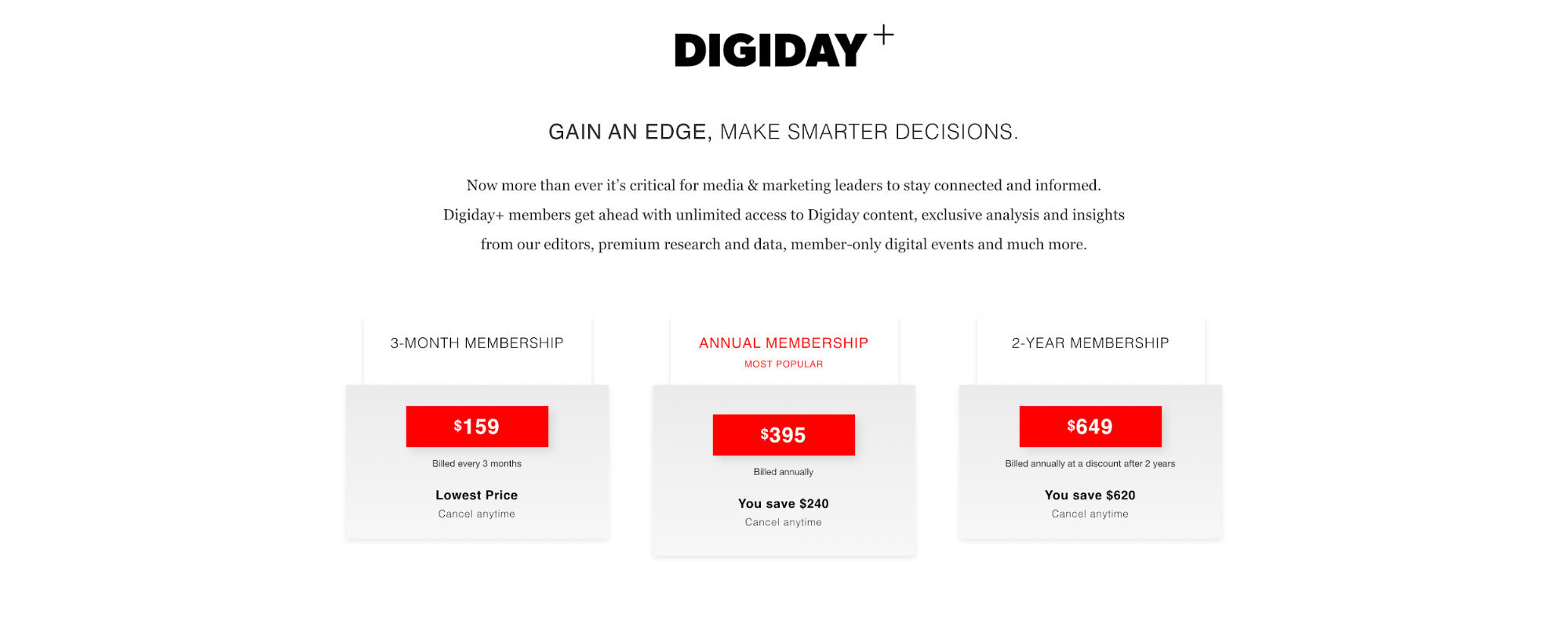
Within the offer, there are 3 purchase options, we call those terms.
When you convert on a term by purchasing a subscription, you gain access to Digiday+. In Piano, we refer to Digiday+ as the resource because it represents a set benefit
Any time a user converts on a term, they gain access to a resource.
A client can have multiple resources. For example, let’s look at Foreign Policy’s offer below:
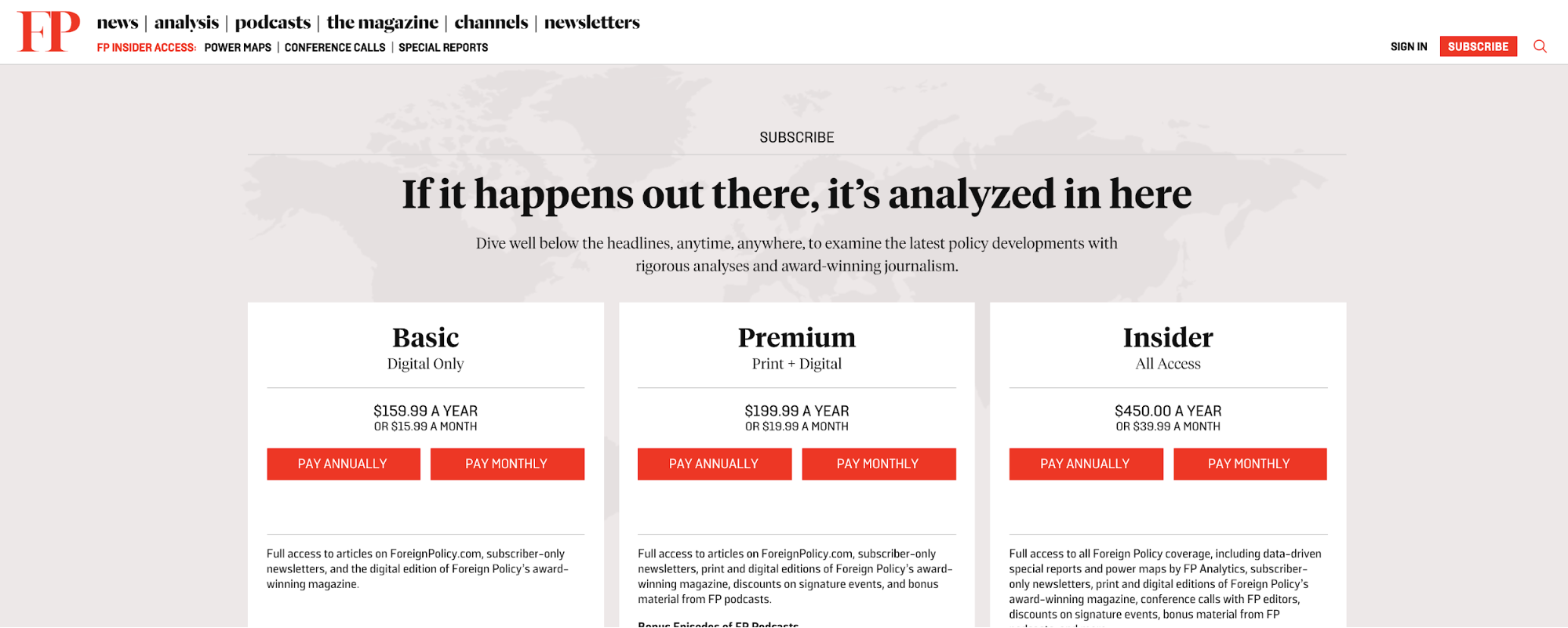
At first glance, it might appear that there are 3 terms and 3 resources because there are 3 subscription types that unlock different benefits. However, there are actually 6 terms. Remember that a term is a purchase option, not a subscription type. If you look at the Basic subscription, you can pay monthly or annually. So, the terms and resources in that offer are:
-
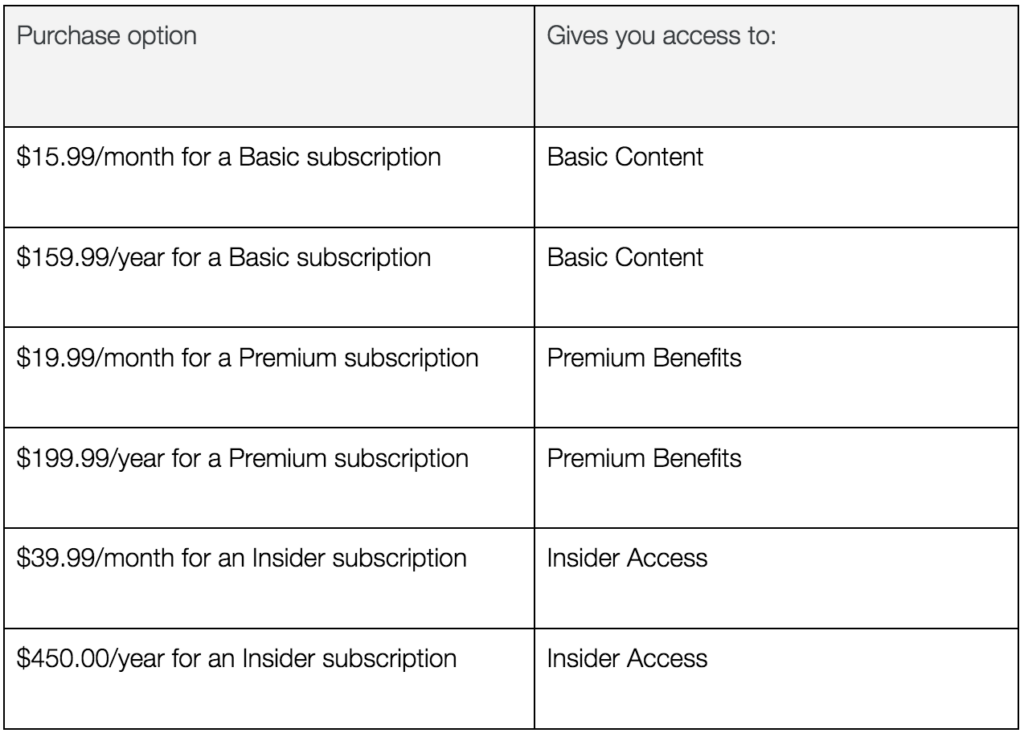
$15.99/month to unlock the Basic resource
-
$159/year for Basic resource
-
$19.99/month for Premium resource
-
$199.99/year for Premium resource
-
$39.99/month for Insider resource
-
$450.00/year for Insider resource
Mapping your subscription product to resources and terms
When defining your resources and terms, it can be helpful to sort your purchase options and benefits into the table below. The table below is filled out for the Foreign Policy example above.
Building your resources and terms in your sandbox application
Once you’ve defined your resources and terms, you’re ready to build them:
Additional Information
This is part 3 of our 4-part onboarding experience that we have created to help make your introduction to Piano as seamless as possible. The other guides in this series will help you understand various aspects of our product suite.
Our paywalls module will show you how to design and leverage paywalls in Piano's Composer to work with your website, you can move on to that module now: Getting Started | Module 4: Paywalls