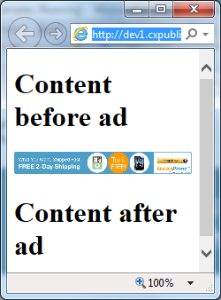
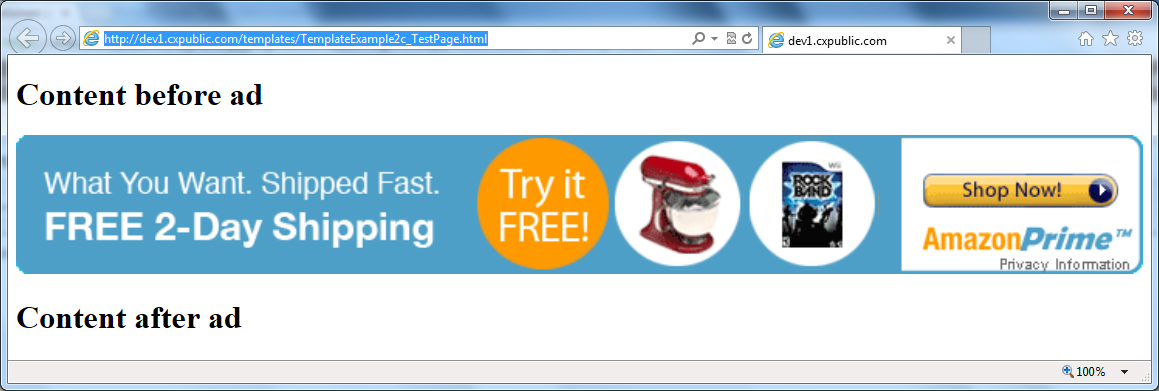
Example 2c - Resizing to content size (100%-wide ad)
On some pages, especially mobile content, the content is filling the full width of the browsers. We want our ads to also fill the width, i.e. be 100% wide
Measure new height and also resize in the height dimension.
For some ad types, like images, as the image grows in width, so does the height. Therefore, we must update the height when the width changes.
The way to do this, is to:
Add the "resizeToContentSize: true" flag to the ad / widget tag
In the rendering template, after the content has been resized, measure it and report the actual content size back to the parent frame
Here is an example code that does this.
The ad tag:
<!-- Ad tag begin -->
<div id="insertAdSpaceBeforeThis_000000000077eca4" style="display:none"></div>
<script type="text/javascript">
    (function() { try { var scriptEl = document.createElement('script'); scriptEl.type = 'text/javascript'; scriptEl.async = 'async';
    scriptEl.src = ('https:' == document.location.protocol) ? 'https://scdn.cxense.com/cx.js' : 'http://cdn.cxense.com/cx.js';
    var targetEl = document.getElementsByTagName('script')[0]; targetEl.parentNode.insertBefore(scriptEl, targetEl); } catch (e) {}; }());
</script>
<script type="text/javascript">
    var cX = cX || {}; cX.callQueue = cX.callQueue || [];
    cX.callQueue.push(['insertAdSpace', {
        adSpaceId:'000000000077eca4',
        renderTemplateUrl: 'TemplateExample2c.html',
        resizeToContentSize: true, // Allow the template to resize this iframe by pixel size
        width: '100%',
        height: 90 // Initial height
 }]);
</script>
<!-- Ad tag end end -->
The rendering template code:
<!DOCTYPE html>
<html>
<head>
    <title>Template with logo example</title>
    <style type="text/css">
        html, body { margin: 0; padding: 0; }
        .template { display: none; }
    </style>
</head>
<body>
    <!-- Include the cx.js script -->
    <script type="text/javascript" src="http://cdn.cxense.com/cx.js"></script>
    <!-- The ads are inserted into this div: -->
    <div id="adSpace">
        <!-- This is the invisible template that is used to instantiate the ad -->
        <div id="adsTemplate" class="template">
        <!--%
        var adSpace = data.searchResult.spaces[0];
        for (var i = 0; i < adSpace.ads.length; i++) {
            var ad = adSpace.ads[i];
            %-->
            <a class="url" tmp:href="{{ad.clickUrl}}" target="_blank">
                <img tmp:src="{{ad.creative.source}}" border="0" width="100%" alt=""/>
            </a>
            <!--%
        }
        %-->
        </div>
    </div>
    <!-- Insert AdSpace -->
    <script type="text/javascript">
        var cX = cX || {}; cX.callQueue = cX.callQueue || [];
        cX.callQueue.push(['insertAdSpace', {
            templateElementId: 'adsTemplate',
            targetElementId: 'adSpace',
            forwardHashArgs: true,
            onImpressionResult: pollHeightAndUpdateParentSize
        }]);
        var previousContentHeight = -1;
        function pollHeightAndUpdateParentSize() {
            try {
                // Measure content height, and resize IFRAME if size has changed:
                var contentEl = document.getElementById('adSpace');
                var currentContentHeight = (contentEl.clientHeight || contentEl.offsetHeight);
                if (currentContentHeight !== previousContentHeight) {
                    previousContentHeight = currentContentHeight;
                    var hashArgs = cX.parseHashArgs();
                    var message = 'method=updateAdSpace'
                        + '&contentHeight=' + currentContentHeight
                        + '&elementId=' + encodeURIComponent(hashArgs.parentElementId);
                    // It's safe to use '*' as targetOrigin here, because the message content is not secret.
                    cX.postMessageToParent(message, '*');
                }
            } catch (e) { }
            setTimeout(pollHeightAndUpdateParentSize, 250);
        }
    </script>
</body>
</html>
Note that this example deals with showing a single ad in the ad space. If you plan to show multiple ads then you will need to ensure that the iframe width remains 100% and set the ad width as appropriate.