
Minimum bids can be applied on all keywords product-wide or for particular keywords in a product.
Product-Wide Minimum Bids
In the product page, you will see a field called Minimum Floorprice, where the minimum bid for all keywords can be set as follows:
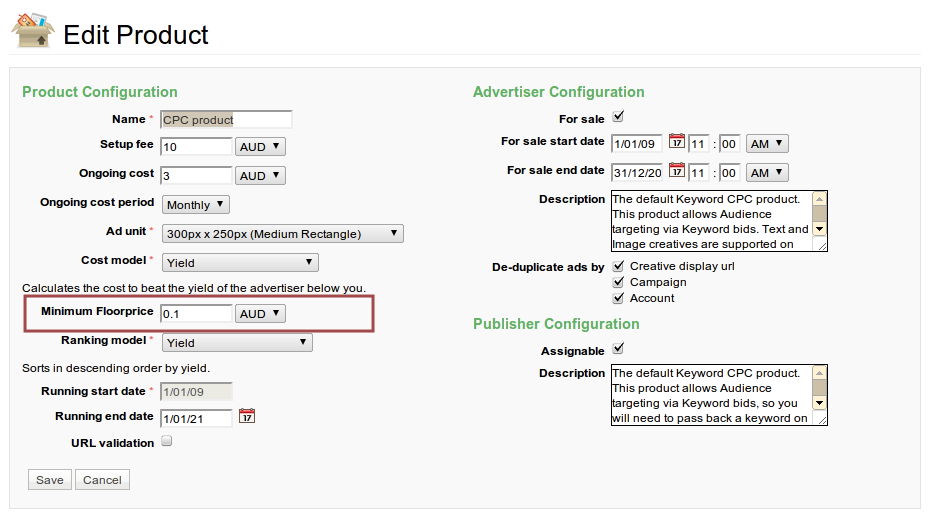
This will apply a minimum bid of AUD $0.10 across all keywords in campaigns based on this particular product.
Minimum Bids on Particular Keywords in a Product
In the keyword matching template of a product, you can set minimum bids on particular keywords by clicking on the "set custom" link in the Floorprice field as shown below:
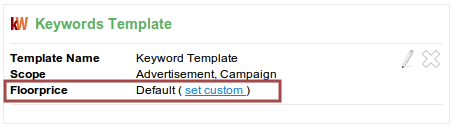
From there, you will be taken to a keyword entry screen from which you can apply minimum bids for particular keywords as follows:
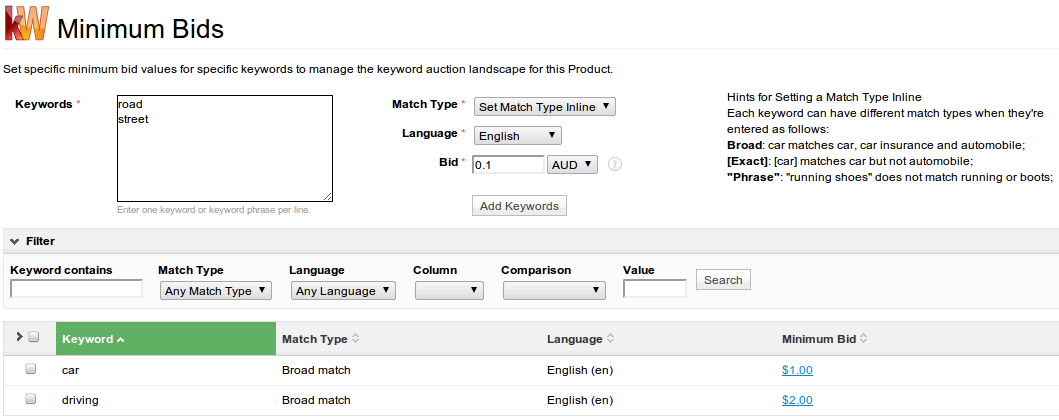
In this case, the keywords "car" and "driving" will have a minimum bid of AUD $1.00 and AUD $2.00 respectively for any campaign based on the product in which the keyword template resides.
And if the "Add Keywords" button was clicked upon in the above case, the keywords "road" and "street" would both have a minimum bid of AUD $0.10 applied to them.