Enabling invoice number generation
Configuration
Before setting up the feature, please consider reviewing your automated processes involving the Translation log CSV since the update includes adding a column to the CSV as described below.
1. In order to have the Invoice Number functionality activated on your account, please navigate to Edit Business → Settings → Tax support, and activate the feature via the Create invoice number for transactions setting checkbox. Optionally, a three-character invoice prefix can be configured that will be included in each invoice number.

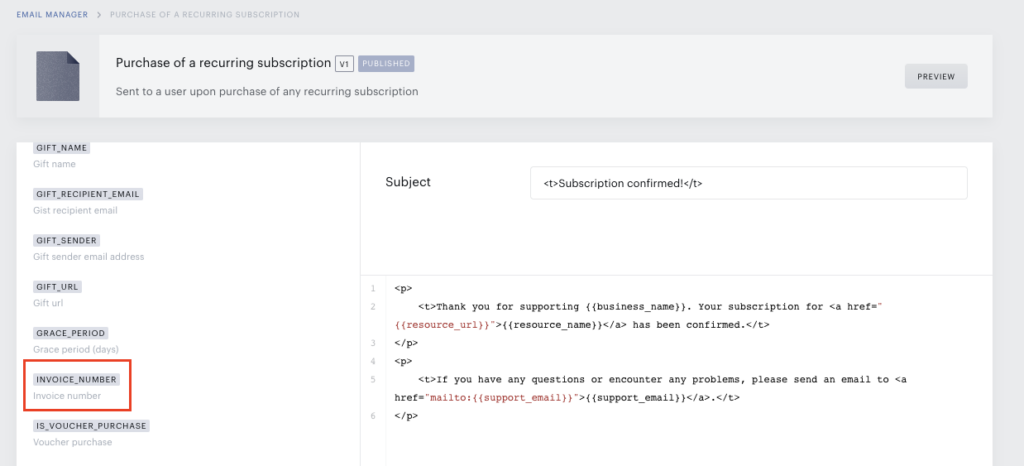
2. Once the invoice number generation feature is activated, a new variable, INVOICE_NUMBER, becomes available in Email Manager. It is then necessary to include it in the email templates that are sent to end users by editing the necessary templates in the Email Manager. Adding the invoice number is not automatic and will not appear in emails unless this step is completed.
Format options
An invoice number consists of three parts:
-
2-digit year: this is a dynamic prefix that is automatically generated and increments with each new year
-
8-digit sequential number: an automatically generated sequential number that starts with 00000001 and increments with every transaction.
-
Optional 3-character prefix allowing any combination of letters and numbers to identify an application (i.e. last 3 characters of an application ID).
Where to find invoice numbers
Once activated, invoice numbers can be found (besides Email Manager as described above) in the following:
Downloadable transactions log
A new invoice number column will appear in the Transactions Log. If invoice number generation is deactivated at a later time, this column will always remain, with a null value in each field.

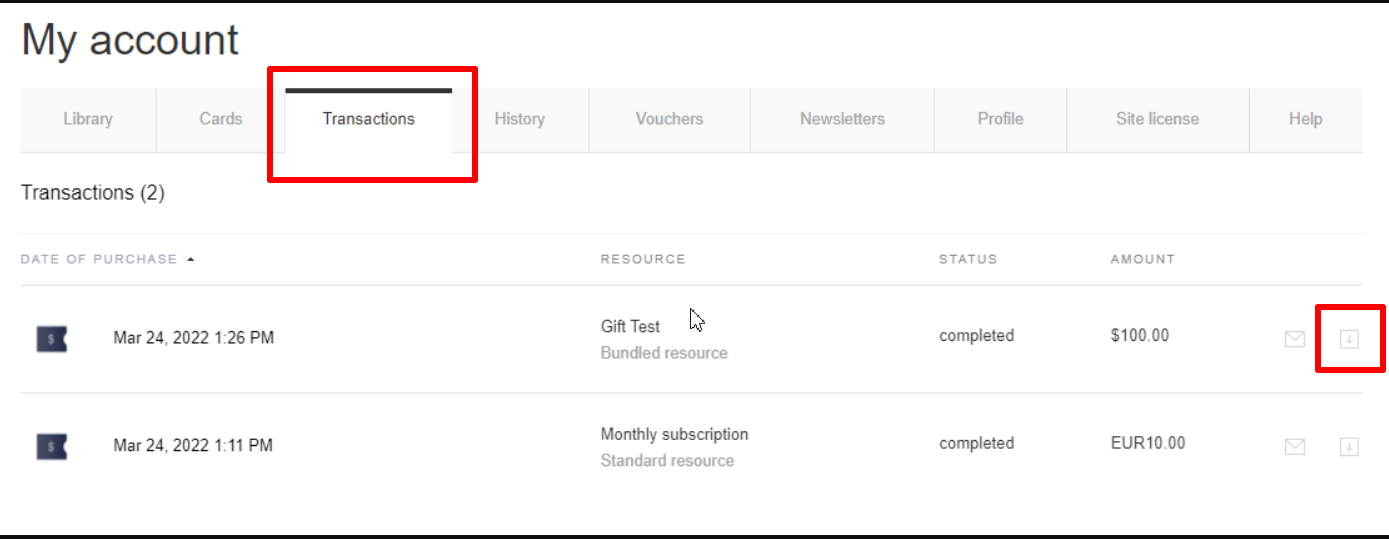
Downloadable PDF receipt in My Account
In My Account → Transactions, you will find a downloadable receipt which will display the invoice number as a new field.
Transaction info email
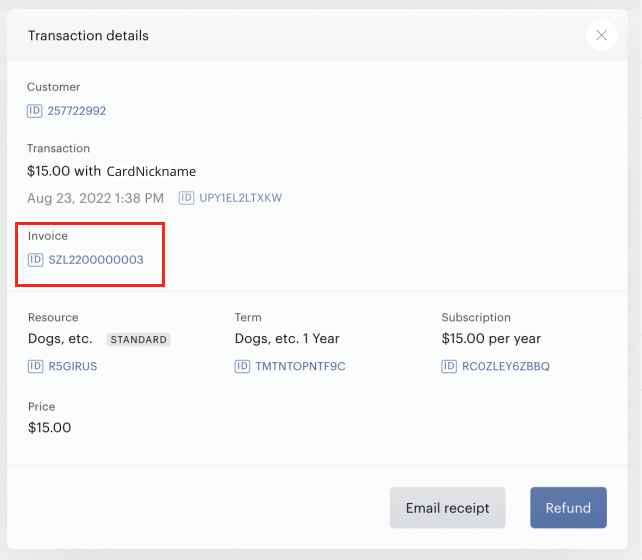
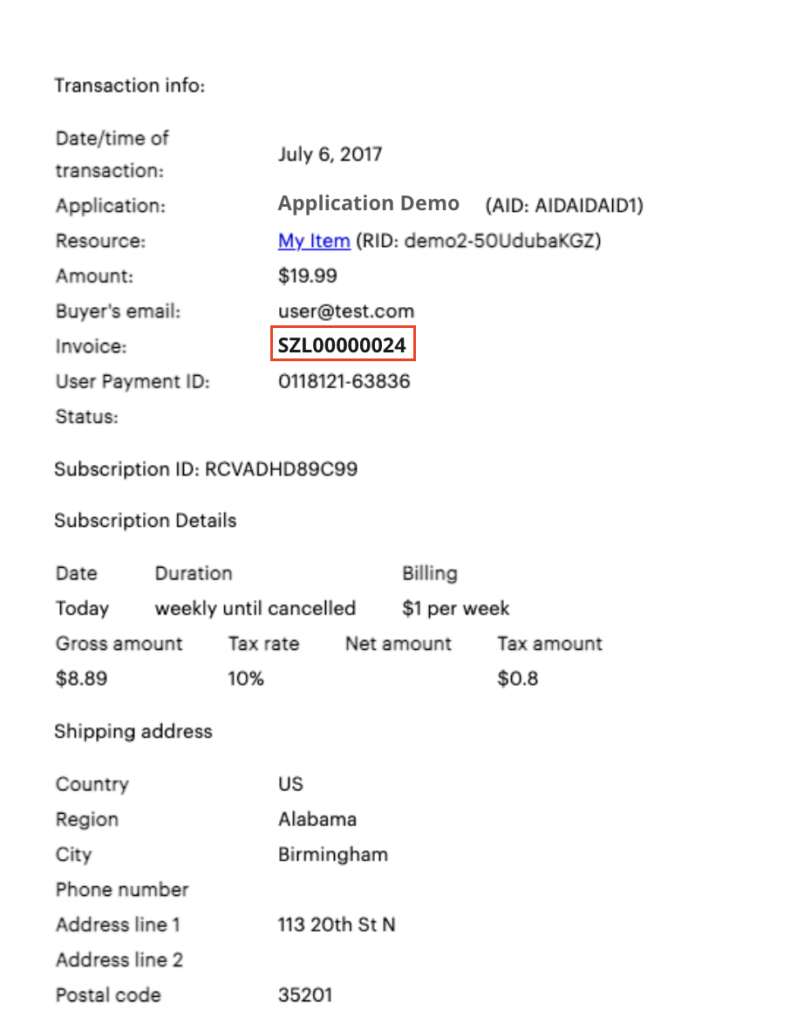
This email is sent when Email receipt is clicked within Transaction details in the user profile. It is available to users who have relevant access in the Publisher Dashboard and is found in the user record.
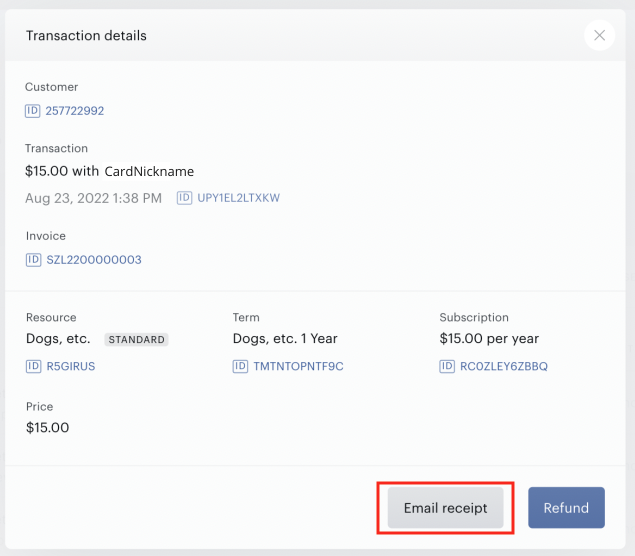
Please note that for the Invoice field to show in this email, the Transaction info email template in Email Manager has to be reverted to its default state. You will find that this email has the identical format to the downloadable My Account PDF receipt.
Transaction details in a user profile