
Example: extending reach using Lookalike Modeling
Say you have had 18 unique visitors in the last 31 days (total audience).
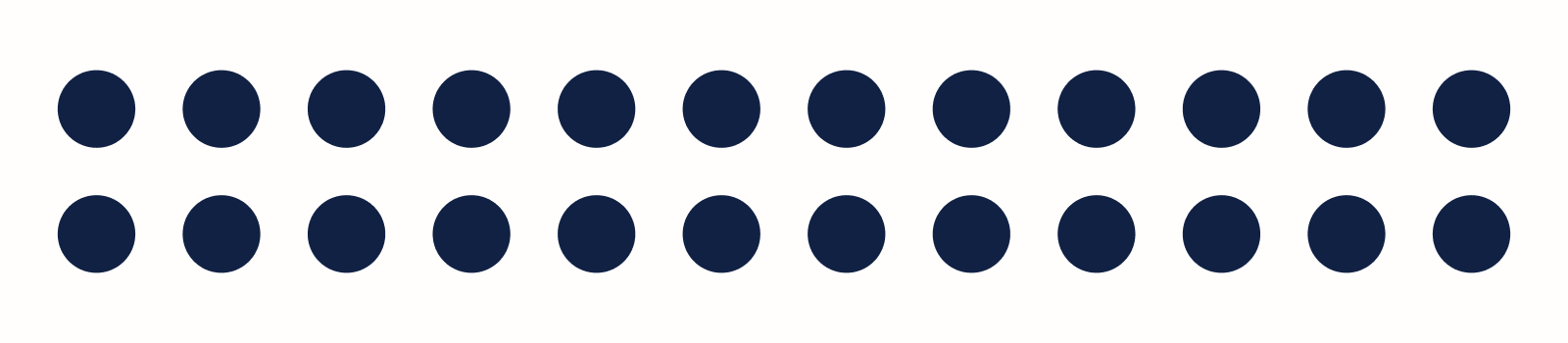
Only 3 of them signed up for your product updates. These readers form a specific audience segment (original segment). You base it on the 1st party data from your CRM system or on performance events identifying the readers who visited a particular URL after signing up.
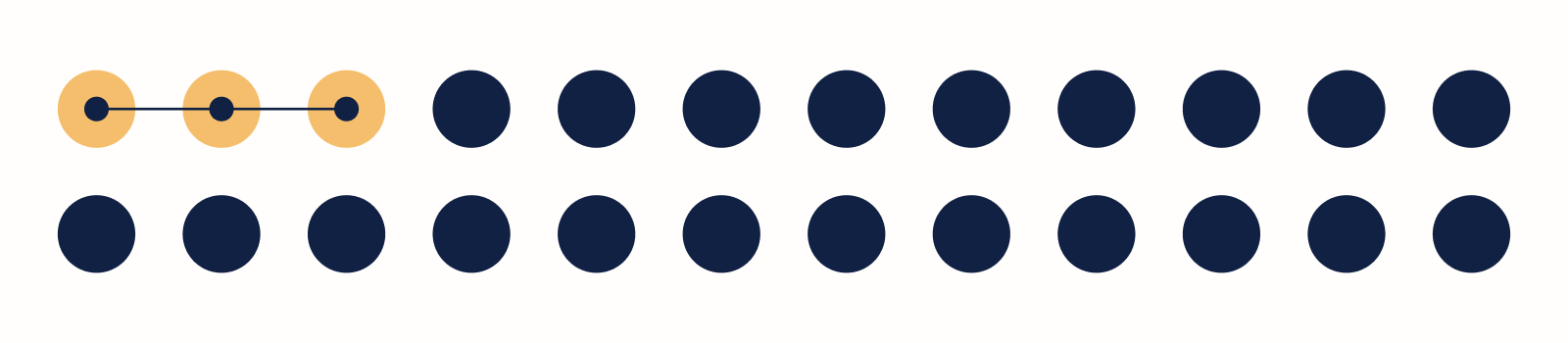
You want to run a targeted campaign to sell more of this product, but 3 readers are not enough for an advertising campaign. To extend the reach of the campaign, you switch on the Lookalike Modeling of the original segment, with a fraction setting of 28%. It instructs Piano Audience to find 28% of the total audience which will be similar (as similar as possible) to the readers in your original segment.
Our advanced machine learning models are trained to detect patterns in the behavior and interests of the 3 readers and apply them to the rest of the audience to find similar readers. The output is a lookalike segment of 5 readers considered similar to the original 3, with no overlap.
As a result of the lookalike modeling, you get 8 readers to target with your campaign. You get to increase both your reach and sales.
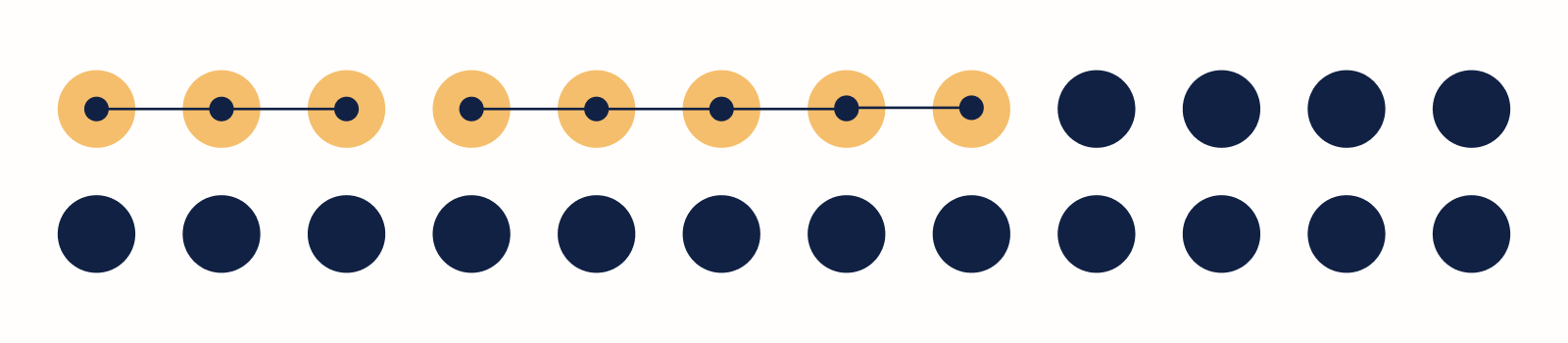
To target your audience, your campaign needs both the original segment and the lookalike segment on an ad server. If you want to run a targeted campaign without involving external ad servers, use Piano's recommendation technology. Deliver tailored recommendations on your site(s) to users in those segments.
Key features
-
Instant feedback on the segment model based on the last month's events and filling the lookalike segment to requested size in one go.
-
Use of a broad set of data sources (e.g., content consumption, site behavior, offline data).
-
No overlap between original segments and lookalike segments.
-
Definition of specific inclusion criteria for each segment providing the right balance between segment quality (low inclusion) and reach (higher inclusion %).
-
Constant monitoring of the lookalike modeling precision to guarantee the highest possible quality.
Lookalike Model accuracy
Piano regularly and automatically evaluates the lookalike model precision. The evaluation process can be described as follows.
First, the evaluation algorithm splits the set of segment members into two parts:
-
A subset for training the models.
-
A test set, together with a sample of non-members.
The models predict lookalikes from the users in the test set. Model precision is the ratio of actual segment members among predicted lookalikes. All precision scores are compared to the baseline of random sampling. The precision scores are tracked continuously to ensure the high quality of the lookalike modeling.
To achieve an optimal quantity-quality balance, set an appropriate percentage (1 - 20% is fine): the higher the percentage, the less similar users.
Specify "negative segments" whenever it makes sense, for example:
-
Lookalike for women: Use men as negative segment.
-
Lookalike for age: Use other age segments as negative segments.
Getting started with Lookalike Modeling
Lookalike Modeling for segments can be enabled directly from the Piano Audience UI.
To create lookalike segments with the highest performance, keep in mind the following:
The best candidates for Lookalike Modeling are segments which are:
-
Narrowly defined (matching a small subset of users).
-
Based on either 1st-party data or directly observable event characteristics.
For Lookalike Modeling to train ML models on a dataset, segments must contain at least 100 active users who accessed URLs classified as articles (not frontpage) within the last 31 days.
Tips for improving quality
-
Choose the right segments for Lookalike Modeling
The best segments to enable Lookalike Modeling for are narrowly defined segments matching a small part of the audience. The segment filters should be based on directly observable event characteristics (for example specific URLs) or based on the 1st-party data you upload from your CRM systems. It is perfectly fine if the segment only matches a small part of the total audience. The behavior of a small, narrowly defined set of users has a higher likelihood of containing interesting and valuable patterns that the ML models can extract and apply to find similar users. It is intuitive that the bigger the original segment is, the more the user behavior in that segment will match the average behavior of the total audience. So try to keep the segment definition for the original segment as narrow as you can while still including the interesting properties that you are after.
-
Set an appropriate fraction (1-20%), not too high
The fraction setting is a percentage determining how many users are tagged as lookalikes. Setting the fraction is a quality-quantity tradeoff. ML models produce ranked lists of users with the most similar users on the top of the list. The backend system includes similar users from the top of the lists until the fraction setting is satisfied. If you increase the fraction setting, the quantity of users increases at the expense of the overall quality of the results (as you then include users that are less similar).
A high fraction setting is anything above 20% which should be reserved for very specific use-cases only. Check with Piano if you are unsure about the appropriate fraction (percentage) to set. An appropriate fraction setting is anything between 1% and 20%. Set the fraction based on how many users you need to be in the lookalike segment and how many users you have in your total audience.
-
Specify a "negative segment" where possible
"Negative segment" is a segment of users being as opposite to the original segment as possible. E.g., you have 1st-party data on gender from users that have logged into your site. With an original segment of women, the negative segment will be the segment of men. Machine learning models can utilize this information to give better quality results, so, if you have two segments that are natural opposites, please use the segment/lookalike/update API to set a "negative" segment. The ML models will then look for similar users to the original segment, which are not similar to the users in the negative segment. In machine learning, it is called positive and negative classes of training data. This way of training the ML models is proven to improve quality, as compared to the common case of having a positive class (the original segment) and an unknown class (the rest of the audience). However, not having a negative segment is not a problem. Our ML models generate good quality results in either case.
-
Bonus: Incorporating new patterns in the data
As long as Lookalike Modeling is enabled for a segment in Piano Audience, we periodically re-train the machine learning models on your data and events. The set of similar users is recomputed every 24 hours on average, to ensure that the models automatically take into consideration new patterns that emerge in your dataset. So there is nothing you need to do to ensure that new patterns are included. The model performance is continuously monitored and improved by Piano R&D to guarantee that the quality stays high over time.
Inner workings
Lookalike Modeling in Piano Audience is powered by advanced machine learning and AI models. The data fed to the models is obtained from:
-
Pageview events statistics.
-
1st-party data.
-
Content profiles.
When Lookalike Modeling is enabled for a segment in Audience, several machine learning models get training on your data and events of the last 31 days. That data is used to select the most similar users to those in the original segment.
We make sure we avoid any overlap between the original segment and the set of similar users. The amount of similar users to annotate as lookalikes is limited to the percentage of the audience, or the fraction setting, which you have set upon enabling the lookalike modeling for a segment.
The machine learning models rank all users in your total audience (visitors to your site(s) in the last 31 days) according to how similar they are to the members of the original segment. The system then selects the most similar users as lookalikes and fills the lookalike segments up to the required volume (defined by your fraction setting). The number of lookalike users is shown in the Lookalike Modeling tab of the Segment Editor of the original segment.
Machine learning models
Based on cosine similarity and logistic regression, the machine learning models currently used in Lookalike modeling:
-
Represent each user as a word vector based on consumed content.
-
Use logistic regression to find a set of most significant words.
-
Compute centroid (average vector) for all segment members.
-
Compute similarity between non-members and the centroid.
-
Output a ranked list of non-members, from most to least similar.
-
In special cases, work with demographic properties (e.g., gender, age).