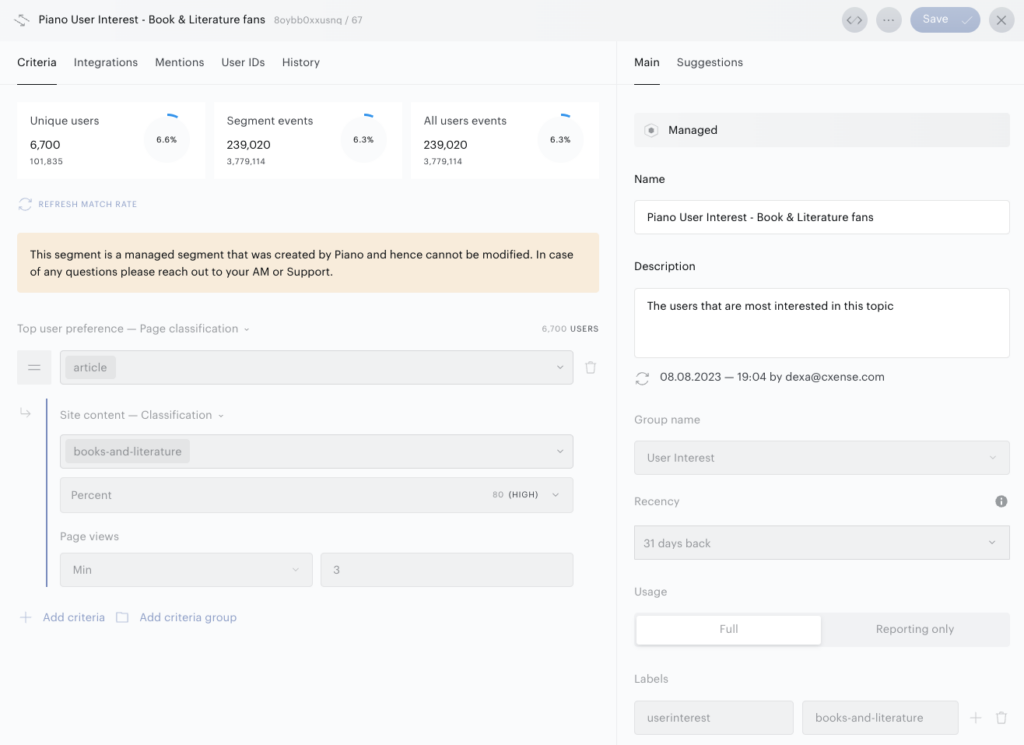
What are Managed segments?
Managed segments are special segments created internally by Piano teams and treated differently from customer-created segments.
Examples of Managed segments :
-
Composer1X segments
-
Syno integration segments
-
Piano Sociodemographics segments
-
Piano User Interest segments
User segments including Lookalike segments can be "managed".
How to recognize Managed segments?
With the segment/read API endpoint, please check if the segment has parameter “internal” = true; it means that this segment is Managed.
In the Piano Audience interface, Managed segments can be recognized by a specific icon which is available in the Segment List, Segment Builder, and filters, for instance Any specification filter.
What limitations do these segments have?
-
Managed segments are excluded from a customer's segment limit.
-
Managed segments can not be deleted by a customer.
-
Managed segments can not be fully updated by a customer. Parameters that regular customers can not change are disabled in the Segment Builder, for example: Criteria, Usage, Labels (key-value pairs), Segment Group (Move to section).
-
If a Managed segment is a Lookalike segment, base and negative segments can not be deleted because it affects the Internal Lookalike segment.