
Overview
The Campaign Reporting functionality allows importing campaign data using ad server log files or/and data from specific wrappers.
Nowadays, Piano Audience creates performance events based on the marketing campaigns data from wrappers. It allows customers to create User segments in Segment Builder and use them for further campaigns based on, say, the results of current campaigns. Moreover, these performance events will be available in Piano Insight.
Limitations
For Campaign Reporting with ad server log files, it isn’t allowed to create segments and use campaign data as criteria. You should use GAM Performance data import to get such results.
Piano Audience supports Campaign Reporting for the Google Ad Manager and Adform ad servers.
Performance events will be deleted in the LTS period or 90 days.
Prerequisites
You should have active Campaign reporting connections in Audience' Connectivity Hub. Connections should be set up using wrappers.
You need active or finished marketing campaigns in the Audience→Radar→Campaigns since the feature release moment. This feature won’t work with old marketing campaigns data.
Creating segments using Segment Builder
Go to Audience→Segments. Open Segment Builder, for example, Traffic.
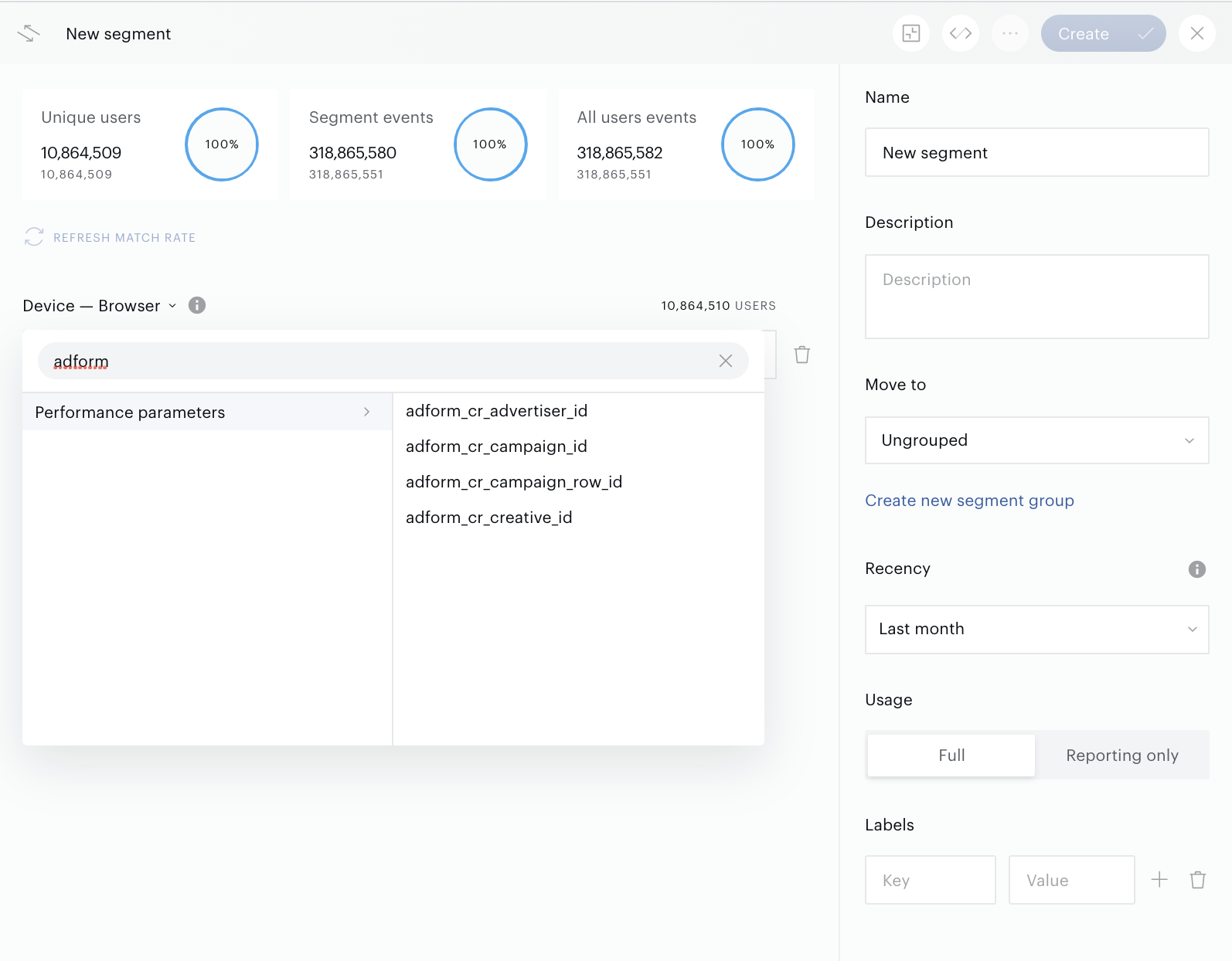
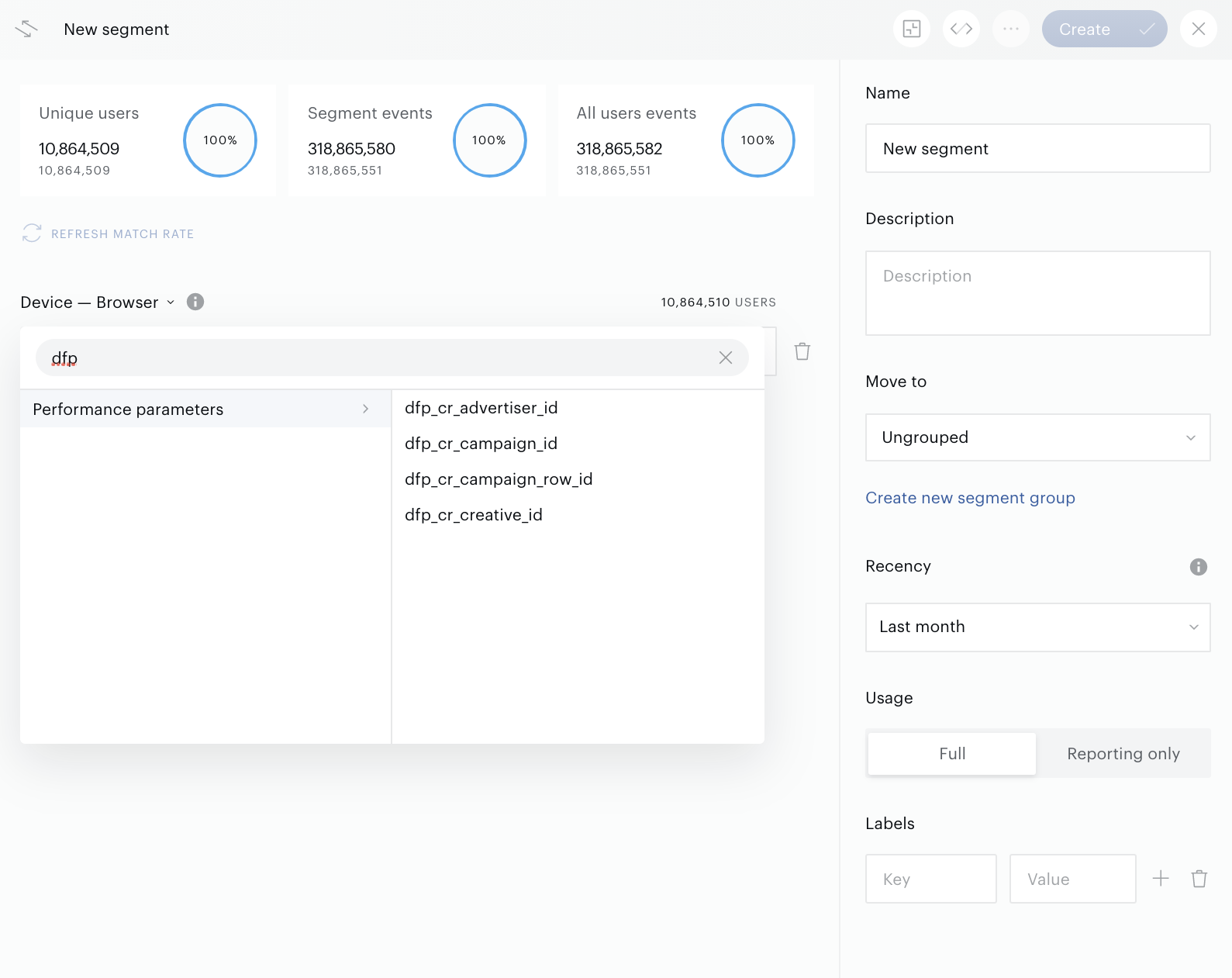
You can use at least the following Campaign Reporting data as criteria:
-
Campaign ID
-
Campaign Row ID
-
Advertiser ID
-
Creative ID
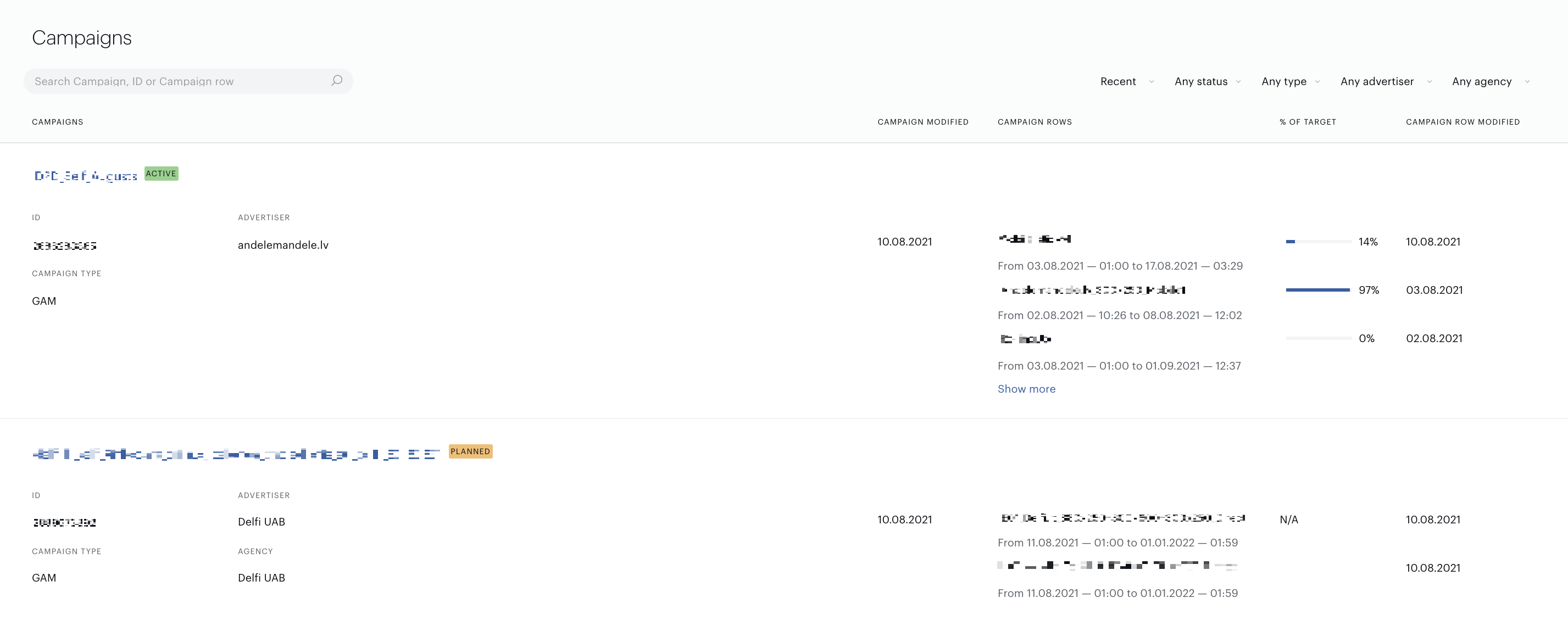
Campaign is equal to Order in Google Ad Manager and Campaign in the Adform ad servers.
Campaign row is equal to Line Item in Google Ad Manager and Adform ad servers.
The list of parameters can differ from customer to customer and depends on specific connection (wrapper) settings. But customers can easily recognise these criteria by the prefixes, such as: adform_cr_*, dfp_cr_*, where dfp is the old name of the GAM ad server. The Performance parameter criteria group can help to find these filters faster.
The same Advertisers, Campaigns, Rows, etc. are available as items in Segment Builder as they are available in Campaign Reporting:
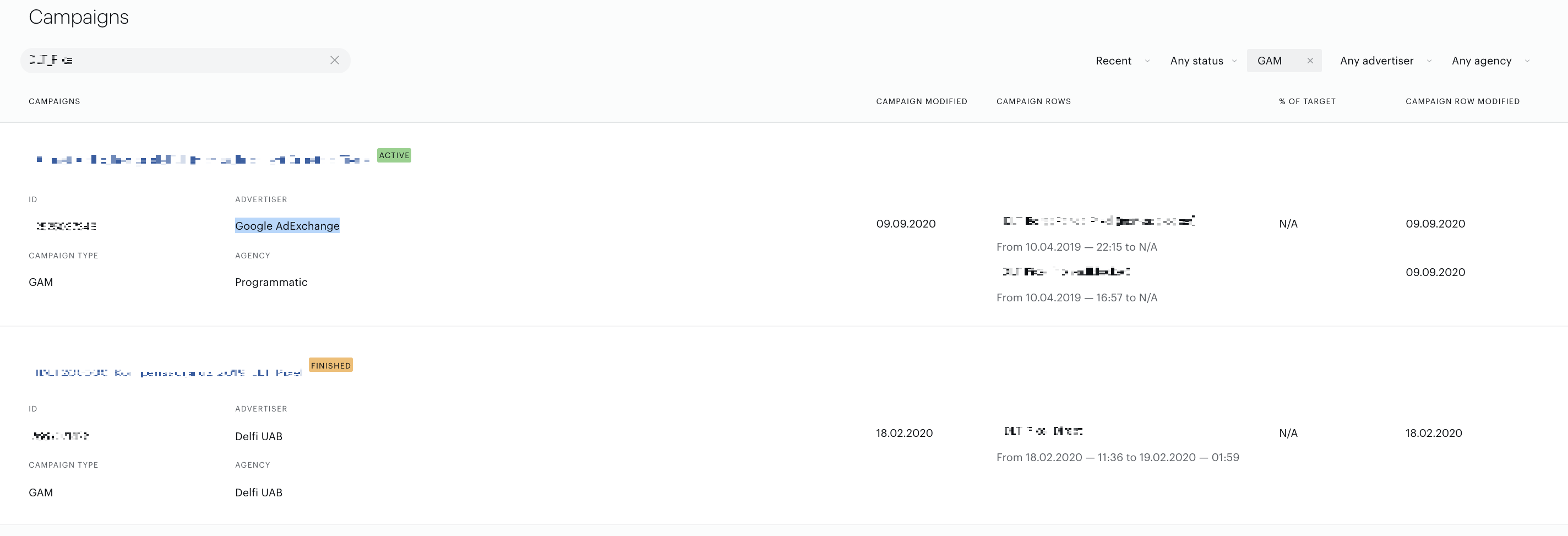
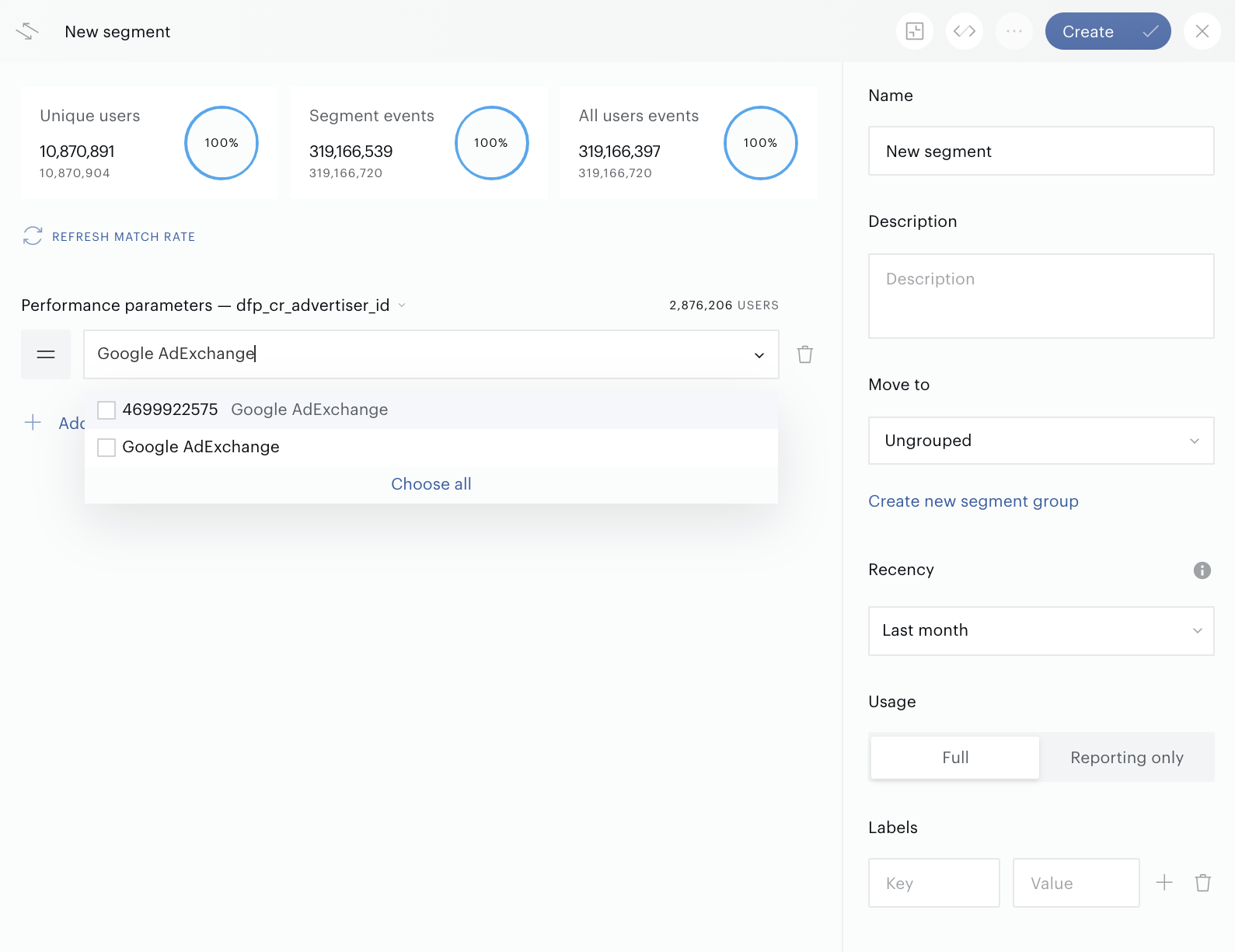
Customers can find specific items by searching by ID or name.