
Conversion segments are no longer supported as a separate segment type. These segments are now created as User segments. If you previously created such segments, their type will be automatically changed to User during the process of saving any changes, without any loss of functionality.
This segment type is interesting for both Composer, Audience, and CCE customers. The requirement to use it is that the customer is sending conversion events using cx.cce.js or the /cce/push API.
The creation of segments based on conversion events is possible not only through API but also through the Advanced mode on the Segment Builder page.
To create Conversion Segments, navigate: Audience → Segments → Create → Conversion segment. After that, the segment builder form will be shown:
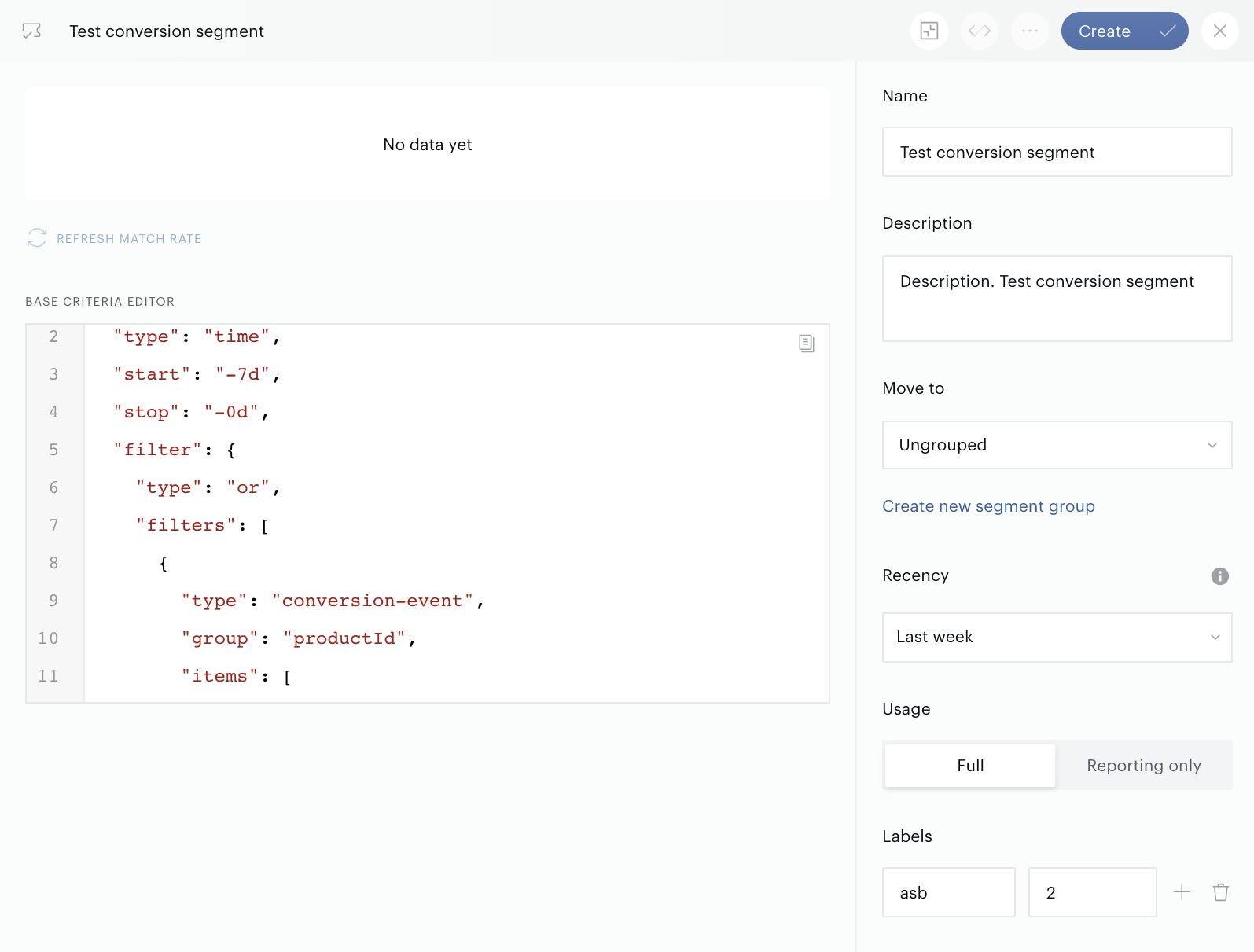
Below you can see the code example that can be used as one of the possible conversion segment criteria; don't forget to improve the code according to your real business case:
{
  "type": "time",
  "start": "-7d",
  "stop": "-0d",
  "filter": {
    "type": "or",
    "filters": [
      {
        "type": "conversion-event",
        "group": "productId",
        "items": [
          "<Your Product ID Here>"
        ]
      }
    ]
  }
}
The Name field is required. The base filters (given in the Base criteria editor area) must be defined too. The Basic mode is not supported for Conversion Segments so far, detailed information on how to work in the Advanced mode is available on the Advanced mode page. It is also recommended to add a meaningful description in the Description field.