
You can optionally combine Insight's filters and the segmentation you made in Piano Audience: use the dropdown on Insight's top panel.
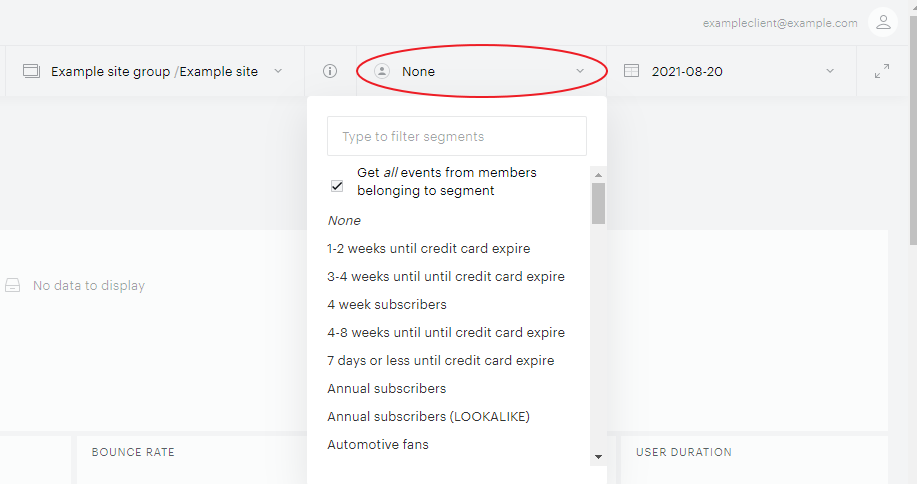
Select a specific audience segment predefined in Audience or leave as None to skip extra segmentation.
Get all events from members belonging to segments With this checkbox unselected, your selections include the behavior of all the users of a selected segment but only that behavior that made them attributable to this segment. For example, a segment of “mobile users over last 30 days” with an unselected checkbox will only show the traffic generated while they were on mobile devices. If you do select the checkbox, you can see all the traffic those users generated regardless of the device type. Viewing segment traffic with an unselected checkbox can be useful to make sure that a segment is correct. For example, for a segment “sports fans”, the top 10 articles will never include articles on politics. While a selected checkbox may show the consumption pattern of a group so that you can mimic it, for example, when you learn that sports fans are often interested, say, in cars too. Or you can expose content that your subscribers like, hoping that non-subscribers will also like it and then become subscribers.