
Yes, but there are some conditions that need to be met in order for the user to be able to apply the promo code for an existing subscription.
These prerequisites are:
-
The user needs to have an active subscription
-
The option Allow promotions on this term needs to be enabled in the Payment term's settings.
Also, the time period for a manual renewal needs to be set in the term's settings where the time period signifies when the user can manually renew.
-
In the Promotion's advanced settings, the option Can be applied on manual renewal needs to be checked:
-
A Composer Experience needs to be created or available, which also targets users with active access. This option is available in the Action card's settings and the toggle needs to be turned off (gray):
If all of the above conditions are set, the user will now be able to renew their subscription prior to their next billing date and during this manual renewal, they will be able to enter a promo code that will apply to any or all of their next billing period/s.
For example, you have set up a Composer Experience which targets the page https://example.com/renewal-promotion and also shows the offer to users with active access. Once a user with an active subscription visits this page, they will see the offer and can select the subscription term, that they'd like to renew on. They will see a screen confirming their active access containing a button Renew now.
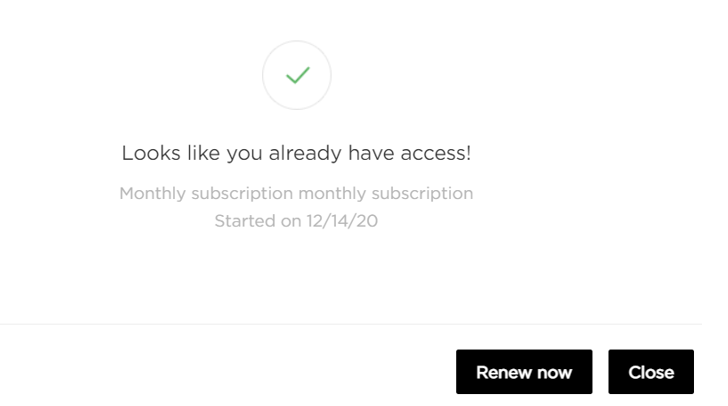
This screen can be configured via the Already has access template.
Once the user clicks the Renew now button, they'll be redirected to a checkout window (the same as they would see when purchasing a subscription for the first time) and can enter the promo code.
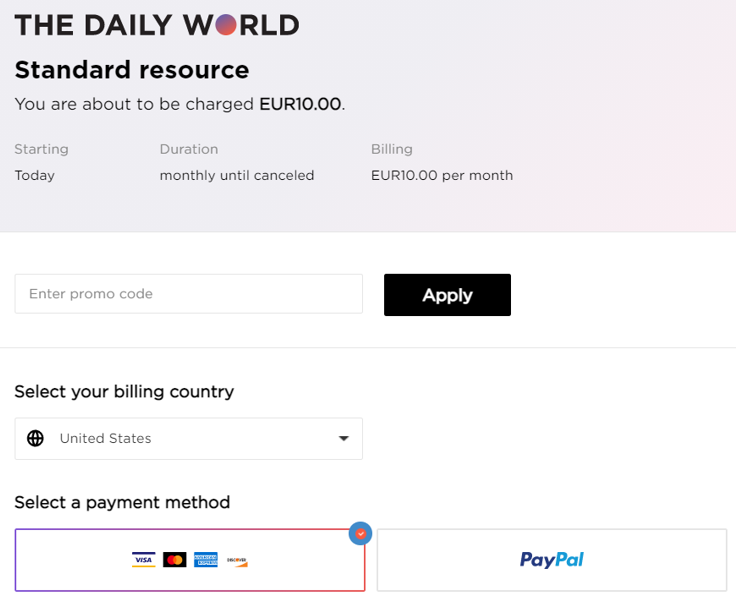
Based on the promotion's settings, the promo code entered will be applied to the next billing period/s of the subscription once the user completes the checkout.
Please note, that for the Renew now option available in the My Account section:
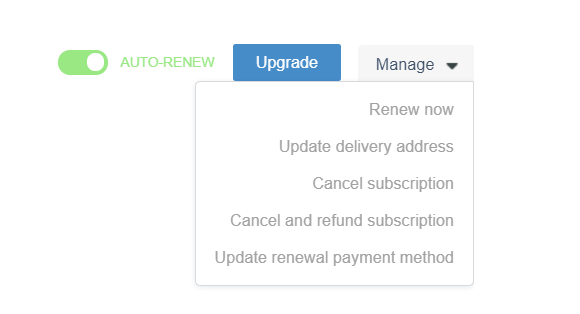
It's not possible to apply a promotion for the next renewal/s. Using this option to manually renew the subscription will just renew the subscription prior to the next billing date. The user won't be able to make any changes to the payment method or enter a promotion code.