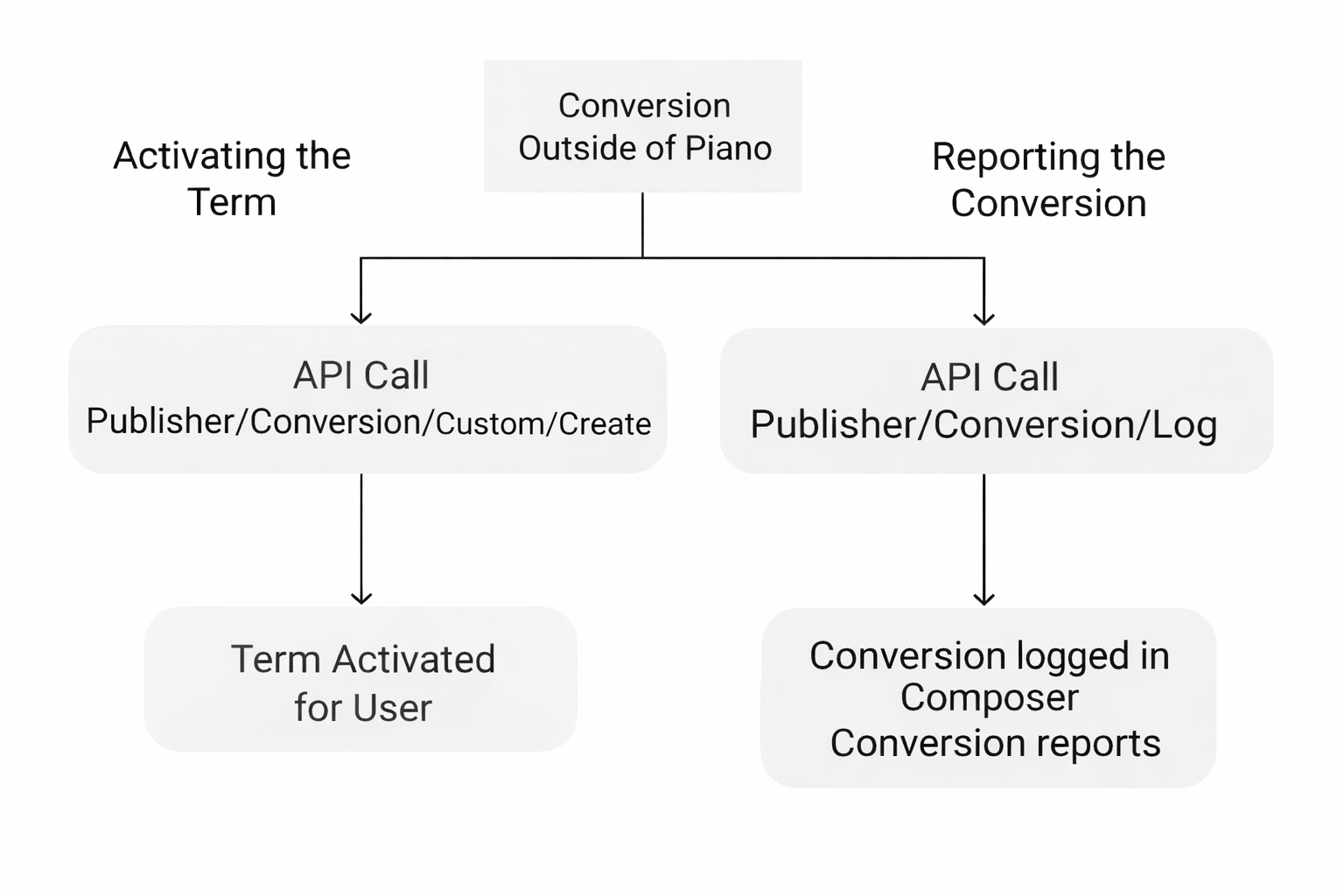
Piano's Custom Terms can help you keep up to date on conversions that may have occurred outside of our platform or any external term. Once you detect the conversion through your own means, you can then instantly update your Piano records so that user can easily begin their access.
Once you register the conversion, simply make two API calls - one for activating the term for that user, and another for reporting that conversion within Piano's framework.
1. Activating the Term: Make the API call /publisher/conversion/custom/create and pass in the parameters found here.
This will convert the user to the custom term you specify and grant them access to the corresponding resource for the amount of time you specify on the term level. This needs to happen immediately after the conversion occurs to ensure the user can read any content they now have access to.
To extend existing access (for example, when you rebill a user for an additional billing period of their subscription outside of Piano), you should use the parameter extend_existing with the value true, otherwise an Access already exists error will be generated. If access does not exist for the specified term, then new access will be created with an expiration date in the future, based on the term's access length. If access for the specified term already exists and the extend_existing parameter's value is true, then the existing access will be extended for the term's access period.
Alternatively, you can make a call to /publisher/user/access/list to list out the number of accesses the user has. Identify which access needs to be updated and then make a call to /publisher/user/access/update and modify the expiration date of that access accordingly.
Note, that if no value is provided in the expire_date parameter of /publisher/user/access/update, the user's access will be set to never expire.
This will allow the user to continue accessing the content mapped to the underlying resource for the amount of time you specify. If a call is not made to this endpoint and the expiration date is reached, the user's access will be revoked.
2. Reporting the conversion: Make the API call /publisher/conversion/log and pass in the parameters found here.
This will add data corresponding to the user's journey through your experience to the Piano conversion reports.