If you'd like to show an additional message to your users that convert through an offer with a registration term, you can do so by following the steps below.
-
Create a Composer Experience, targetting any relevant pages and users with an Offer containing your registration term.
-
Add the below snippet to the end of the Piano ID register page template's code.
XML<custom-script> setTimeout(function(){ var url = (window.location != window.parent.location) ? document.referrer : document.location.href; var index = url.indexOf('<offer_ID>'); var myDiv = document.getElementById('<id_of_element>'); if(index != -1){ myDiv.style.display = "block"; } if(index == -1){ myDiv.style.display = "none"; } ;}, 1000); </custom-script> -
Replace the
<offer_ID>and<id_of_element>parameters with the actual values of your registration offer ID and the ID of the element in the Piano ID register page template that contains the additional message that should be shown only in case users convert through this registration term offer. -
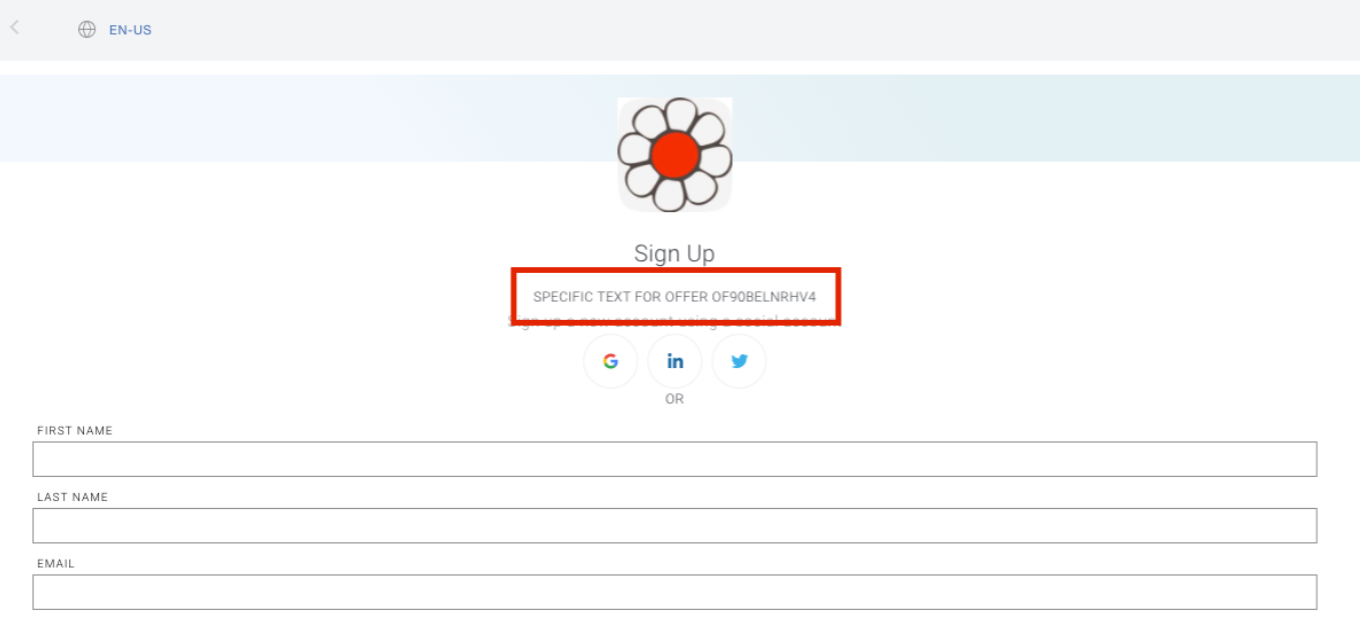
For example, such an element may look like this:
HTML<p id="showonlyforspecificoffer" style="display:none;"> Specific text for your offer OF90BELNRHV4 </p>This additional text will be shown only in case the user starts the conversion via the specified registration term offer ID (
OF90BELNRHV4is the offer ID in this example, and the text comes from the elementshowonlyforspecificoffer).