
To edit the font color of this copy:
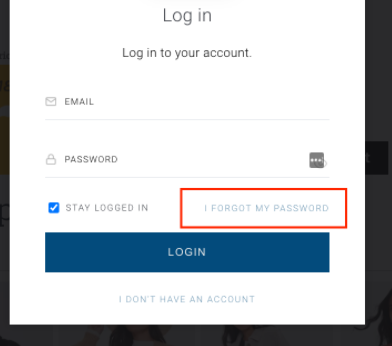
You should edit the CSS of the a.link class of the "I forgot my password":
HTML
 <span class="pull-right">
        <a showScreen="restore" class="link"><t>I forgot my password</t></a>
    </span>
By adding the following into the Piano ID layout template:
a,
.link {
color: #6893b0;
}
Where you would substitute the color with the color of your choice.