
In order to hide the below checkbox I reside in the same country as my billing address in checkout:
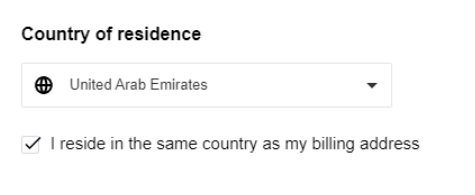
Please follow the steps bellow:
1. Add the class hide-checkbox to the checkbox label in the Payment Components template.
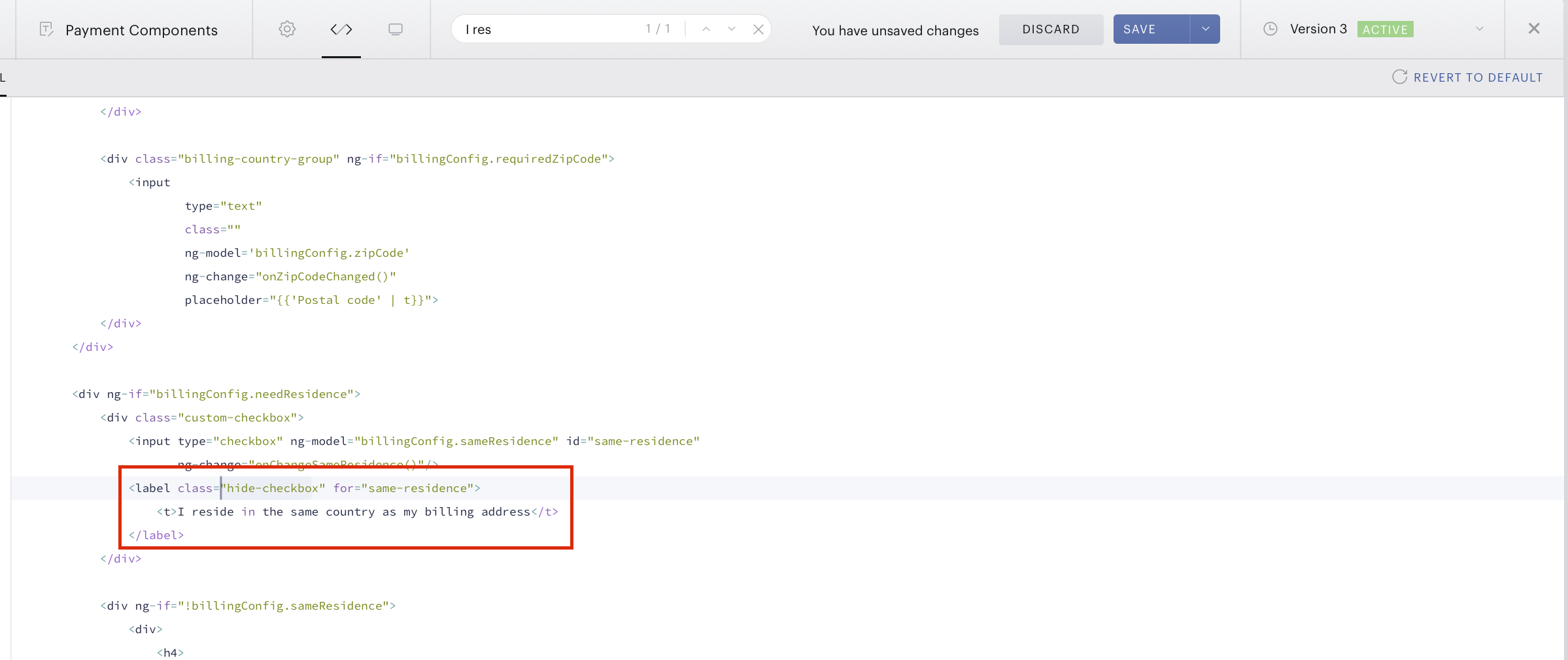
2. Then go to the Checkout style template and add the following CSS:
.hide-checkbox{
    display: none !important;
}
The same is possible also for hiding the Country of residence menu. It can be hidden through CSS in the Checkout style template. For example, using the following code:
.billing-country-form h4 {  color: #B7BFC4;
  font-size: 14px;
  font-weight: 500;
  display:none;
}

.billing-country {
    margin-top: 8px;
    margin-bottom: 22px;
    display:none;
}