
We’ve migrated our documentation to a new site, which means some URLs have changed.
Audience

Video Creatives

Overview

Video Creatives allow video files to be added to an ad or campaign for products that have Video Templates enabled.
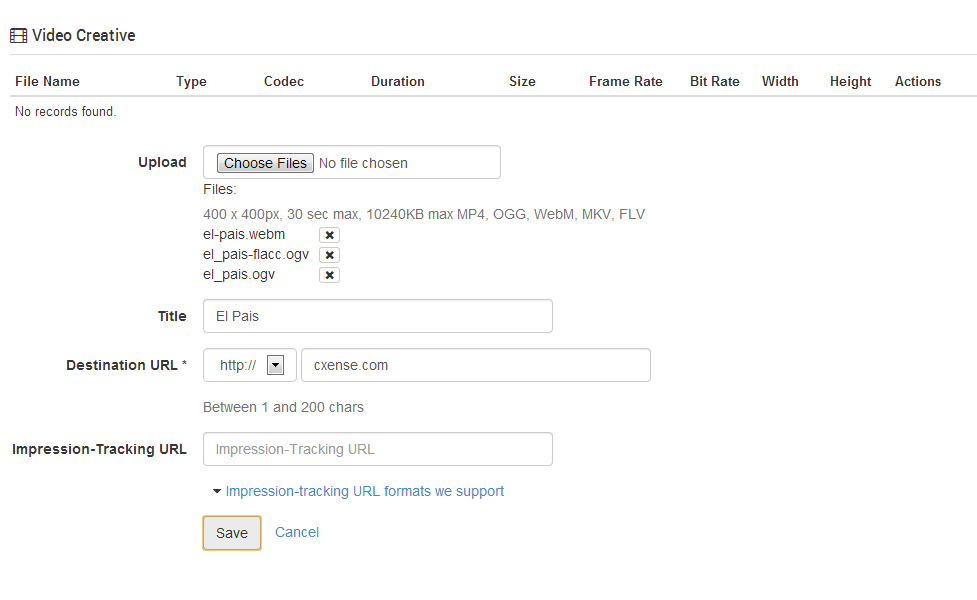
video-creative.png

Managing Video Files

Multiple files may be added to the Video Creative feature as long as they conform to the templates file definition rules by using the Upload fields "Choose File" button.

Once video files are added to the feature, the files will be shown in the table at the top of the Video Creative editor. This editor allows uploaded files to be removed as well as changing the ordering of files (this order is used in the ad server responses).

Ad Server responses

Video Creatives are returned as HTML 5 video elements by default. Most modern browsers will support the HTML 5 video tag, however video format support is not consistent across browsers and it recommended to upload the creative in as many formats as possible.

Additional media types are available when making ad server requests by using the "media" parameter. See Search REST and JavaScript API for details. The following media types are supported:

  • html

  • xml

  • json

  • vast

VAST Compatibility

Video Creatives can be returned as VAST version 2 or 3 compliant xml if the ad server request includes the "media=vast2" or "media=vast3" parameter. Currently only linear video ads for use as pre, mid or post roll ads are supported, however additional VAST features are expected to be developed in the future.

Sample VAST XML response Collapse source

<VAST version="3.0">
    <Ad id="0000000000005b5d">
        <InLine>
            <AdSystem>cX::ad</AdSystem>
            <AdTitle>Test Ad</AdTitle>
            <Impression/>
            <Creatives>
                <Creative id="0000000000001034">
                    <Linear>
                        <Duration>00:00:05:568</Duration>
                        <MediaFiles>
                            <MediaFile delivery="progressive" type="video/x-flv" width="320" height="240">http://c803417.r17.cf2.rackcdn.com/0c5758be9e294ca9d5112c11e0e035a56b183213875bb17f2fe296f2f5bef7e5.flv</MediaFile>
                            <MediaFile delivery="progressive" type="video/mp4" width="560" height="320">http://c803417.r17.cf2.rackcdn.com/1d720916a831c45454925dea707d477bdd2368bc48f3715bb5464c2707ba9859.mp4</MediaFile>
                            <MediaFile delivery="progressive" type="video/x-matroska" width="560" height="320">http://c803417.r17.cf2.rackcdn.com/1d720916a831c45454925dea707d477bdd2368bc48f3715bb5464c2707ba9859.mkv</MediaFile>
                            <MediaFile delivery="progressive" type="video/webm" width="560" height="320">http://c803417.r17.cf2.rackcdn.com/6c8f8dd7317a27ec0f5870213b6763058a825e00037e874b1119b81c41a7d158.webm</MediaFile>
                        </MediaFiles>
                        <VideoClicks>
                            <ClickThrough>http://adserver.demo.cxad.cxense.com:8082/adserver/click/AAAAAAAAWzIAAAAAAABbXQAAAAAAABA0d)pWnIrDRgOZFpIZasfs6gAAAAABAAABPs97yzMAAAAAc8*TCHAnu2k(</ClickThrough>
                        </VideoClicks>
                    </Linear>
                </Creative>
            </Creatives>
        </InLine>
    </Ad>
</VAST>


Last updated: