
You can search for users, who have been granted access using the Mine users functionality.
From your admin dashboard simply click on Users and select Mine Users:
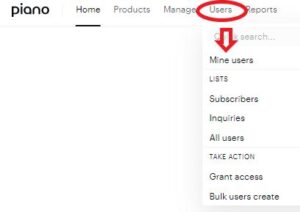
You can now filter users according to the Converted term type parameter and choose Access Granted:

This will show you a list of all users that have been granted free access (at any time in the past, so it's possible the access expired already).
You can refine the search by also selecting the criteria Has access to and choosing all available resources from the drop-down menu:
