
You can use the following JavaScript to trigger an on-site upgrade/downgrade offer:
tp.offer.show({
  offerId: "OFFER_ID",
  templateId: "TEMPLATE_ID",
  displayMode: "modal",
  checkoutFlowId: "CHECKOUT_FLOW_ID",
  targetedTermId: "TARGETED_TERM_ID",
});
As the checkoutFlowId you would enter the ID of the Upgrade/Downgrade checkout flow (which is either created automatically once you select this flow option in a Composer Experience or you can add a new one manually under Manage > Checkout flows).
And as the targetedTermId you would enter the Term ID that the users have access to, and which should be able to upgrade to the new term in the offer. So the same value you would select in a Composer Experience here:
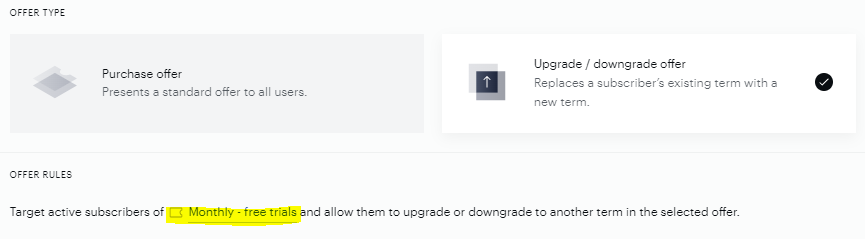
Note, that it's only possible to define one term ID for the targetedTermId parameter.
If you want to use the new onsite upgrades, you also need to pass offerType: "upgradeOffer".