
Google announced the sunset of the Audience Partner UI on September 27, 2024 (originally on July 31st, 2024). The migration to the gRPC and REST Audience Partner API was completed. In addition to that, the alternative UI has been created as part of the Piano Audience to support the segment licensing process.
Prerequisites
As a prerequisite, Piano Audience setup should be completed (the siteGroupId(s) are needed).
In addition, at least one Google Marketing Platform connection within the selected Site group should exist. The connection status is not important.
The segments and licenses are obtained from the Google Marketing Platform account. It means that you first should export the segments to the Google Marketing Platform.
Segments
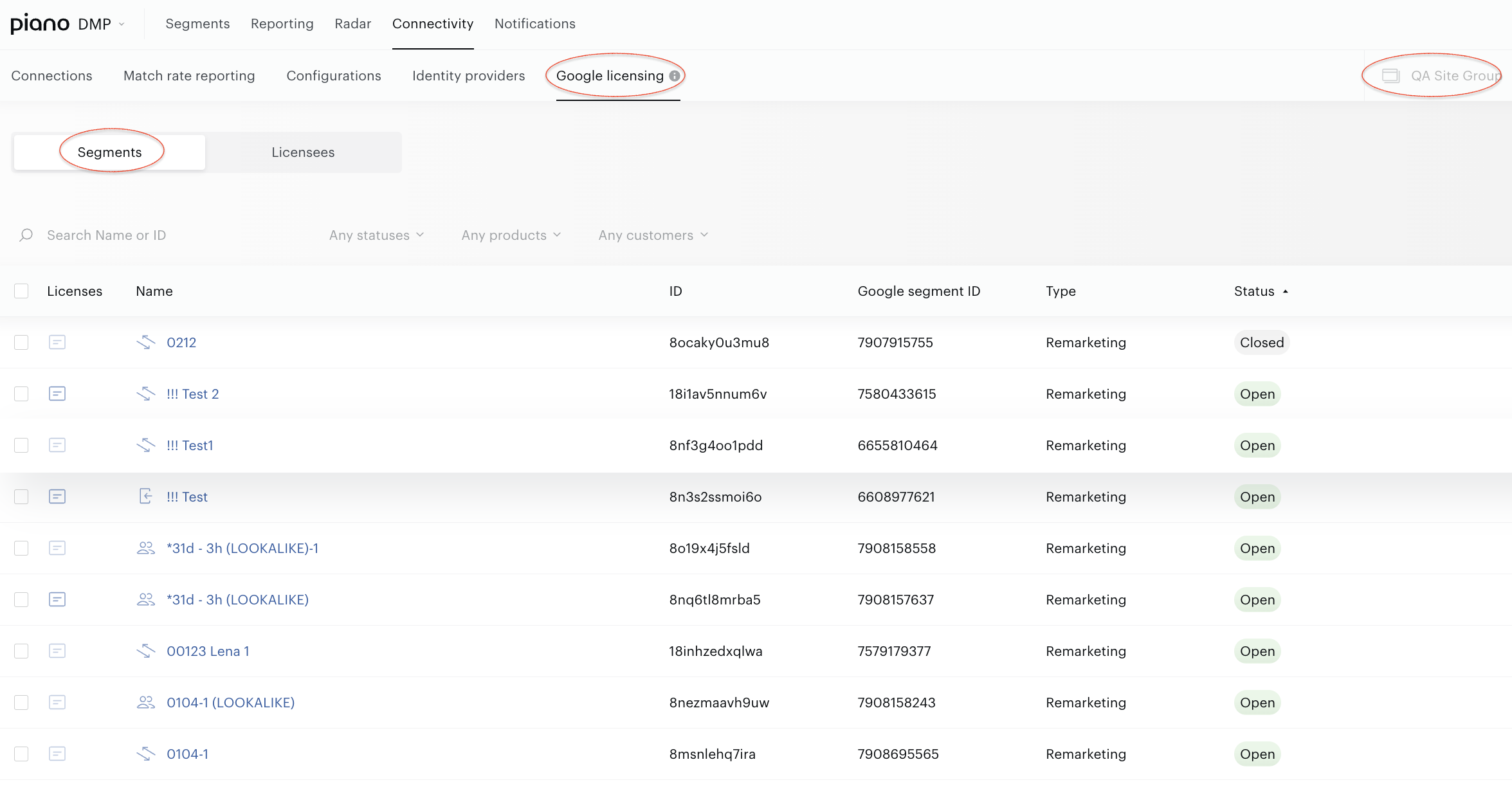
To observe the segments and work with segment licenses, go to Audience→Connectivity→Google licensing. Select the Segments view.
License segments
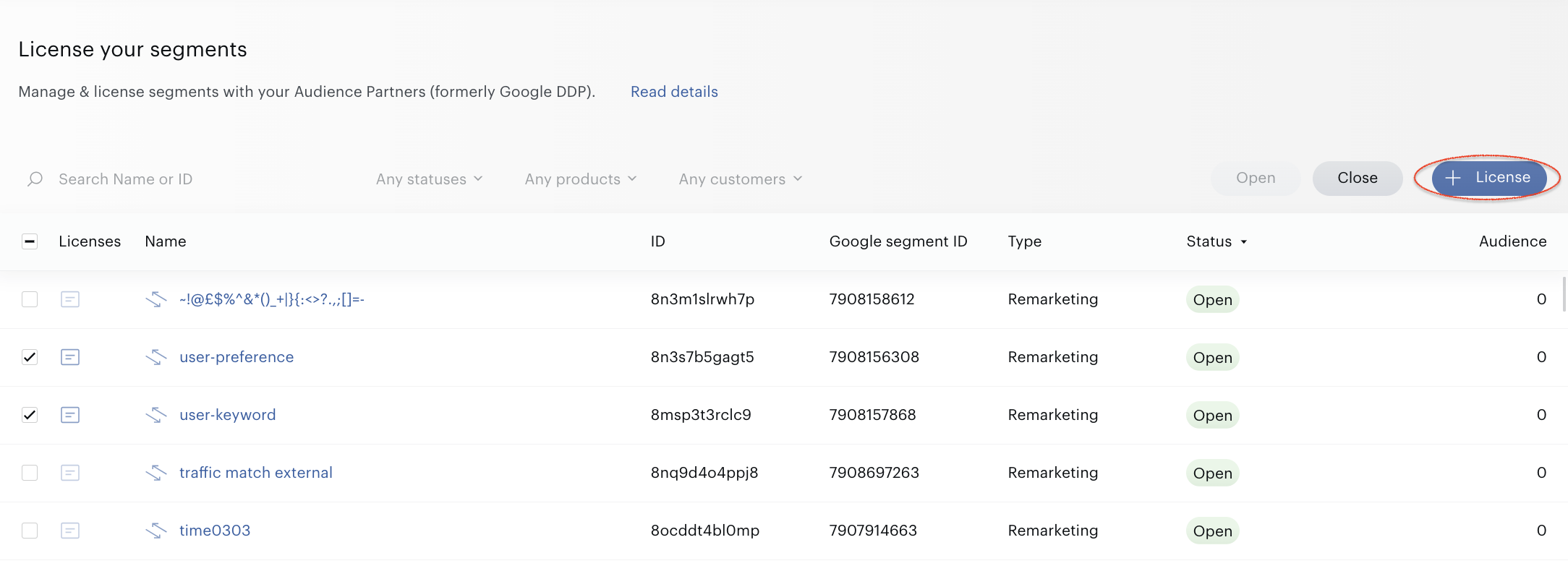
To license a segment, select one or more segments in the list, press the +License button in the top-right corner:
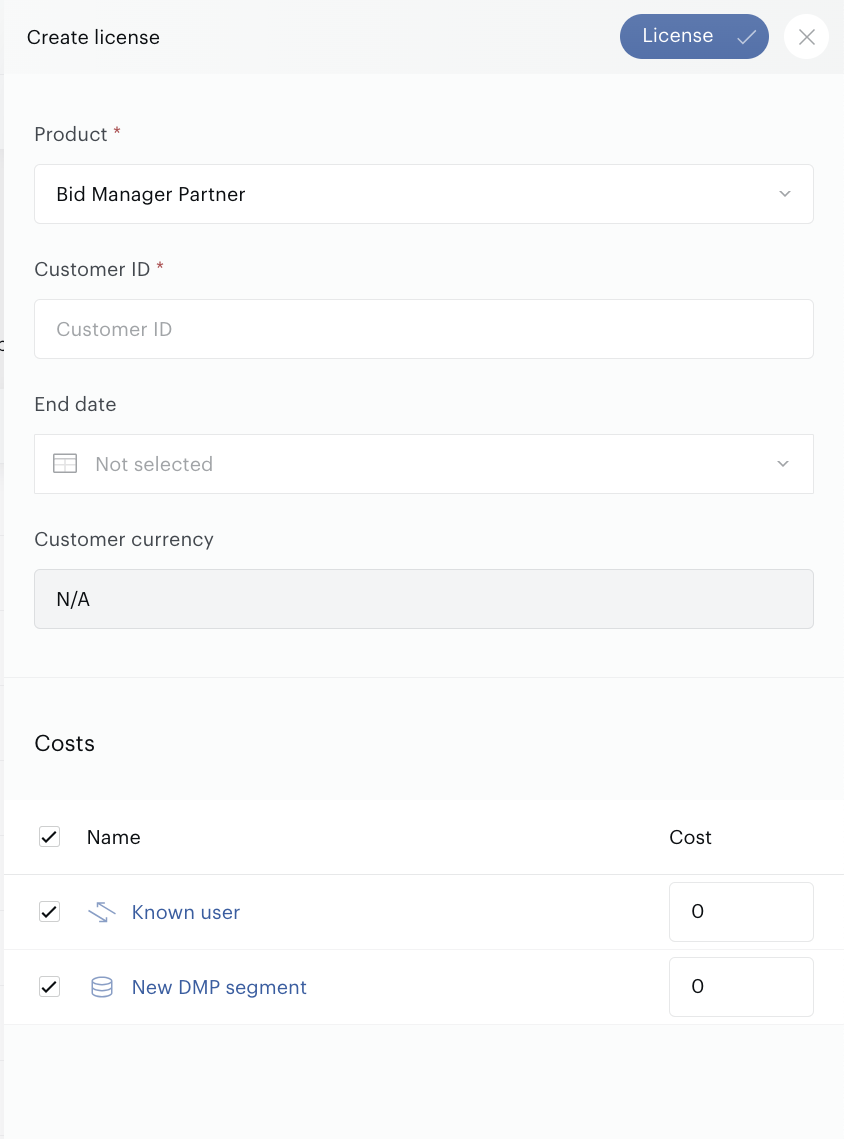
In the license builder, you must fill in all obligatory parameters:
-
Product: Direct or Global. Be aware that it is possible to select products supported by the Audience Partner API.
-
Customer ID for the Direct license.
-
End date. Non-obligatory parameter.
-
Cost. The input fields become available when the Product and Customer ID are selected.
To finish the license creation, press the License button.
Be aware that newly created licenses do not become available immediately. It takes about 30 minutes to get information from the Audience Partner API. Just wait; refresh the page after 30 minutes or so.
Segment details
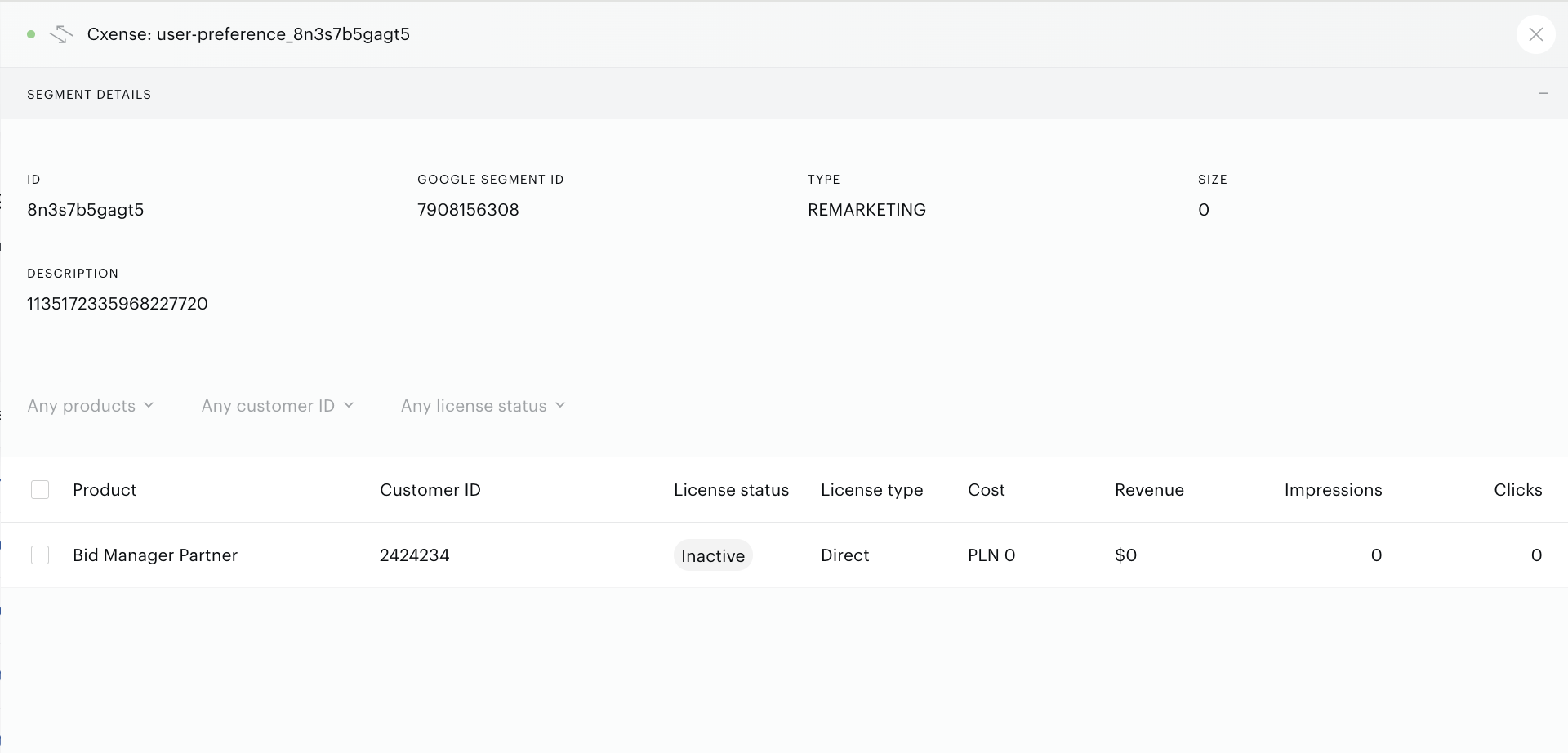
If you want to see the segment details and licenses, click on the Segment license icon next to the segment name:
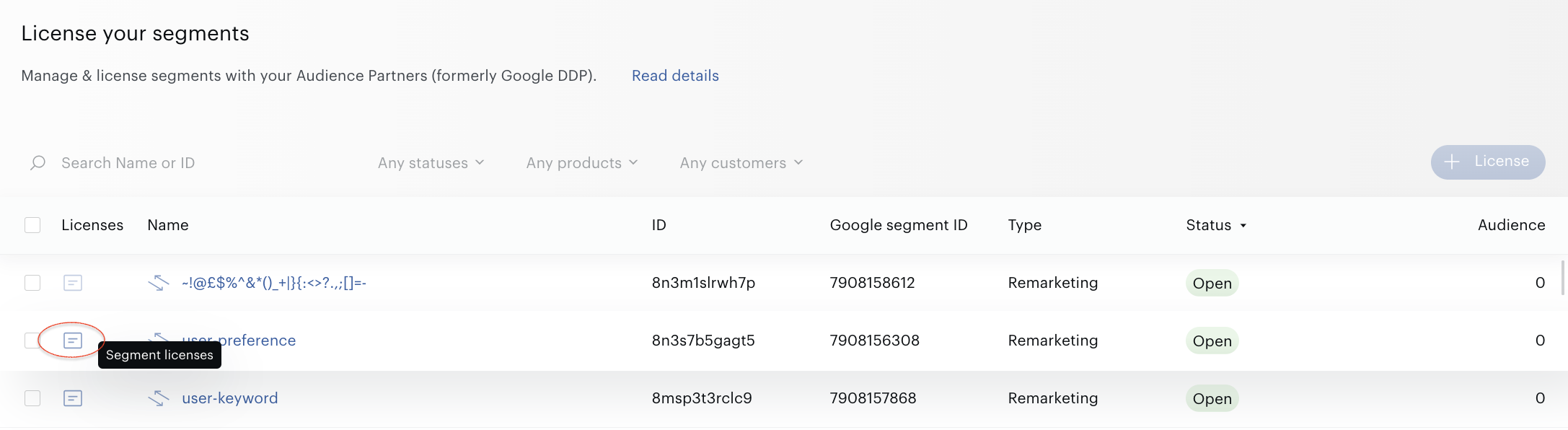
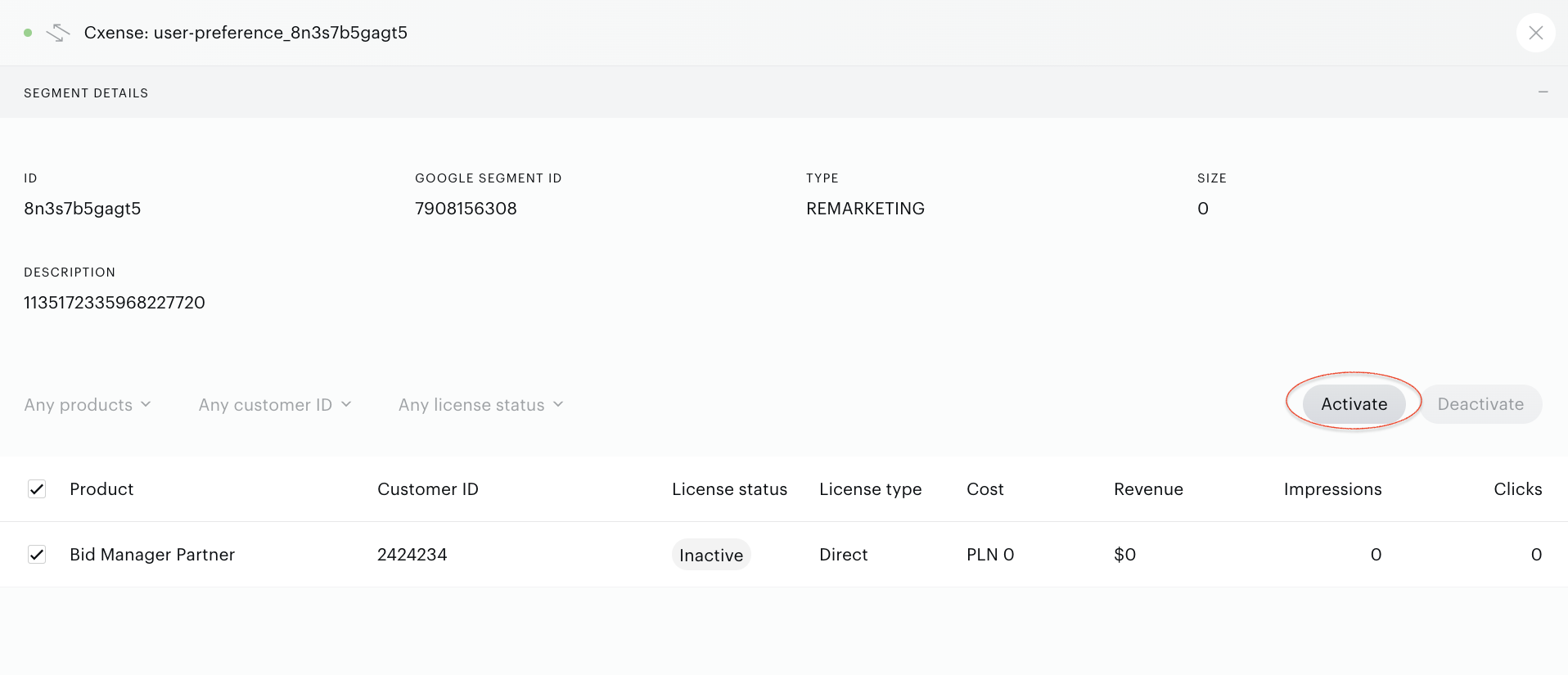
Builder with segment details and licenses will be opened:
Licensees
To observe the licensees and licenses and work with their details and metrics, go to the Audience→Connectivity→Google licensing. Select the Licensees view.
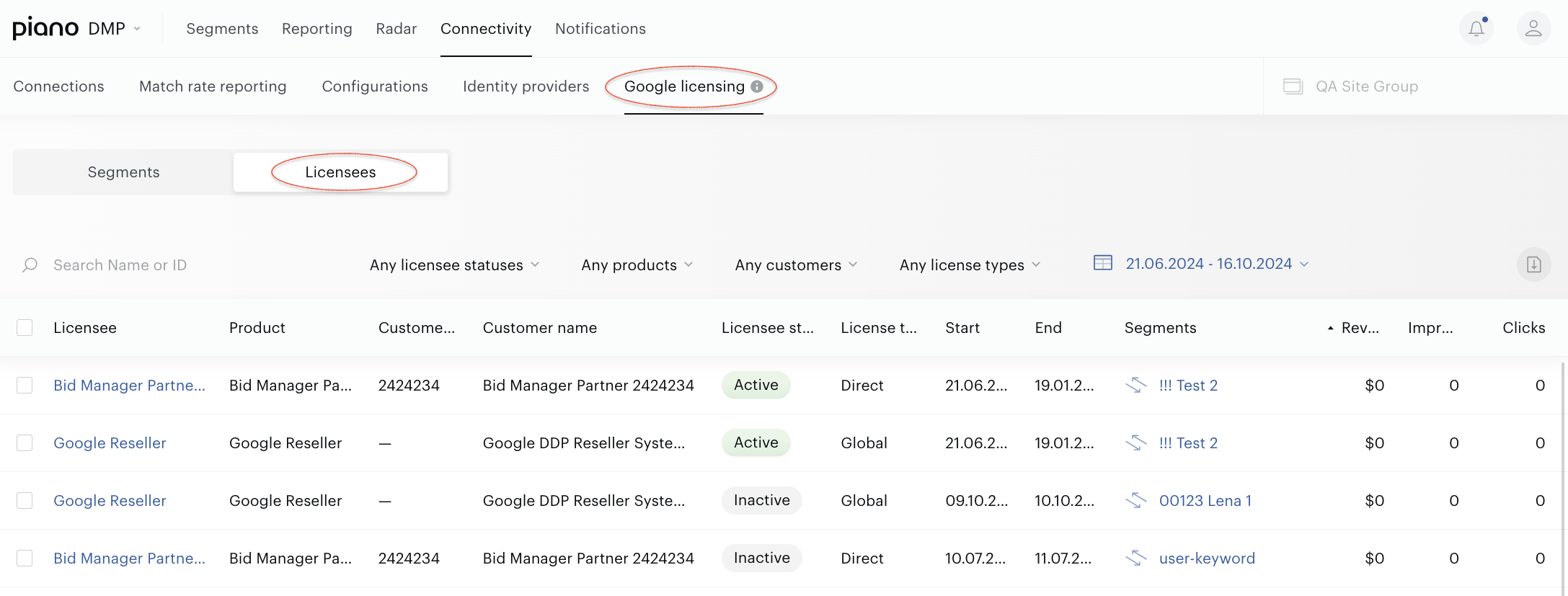
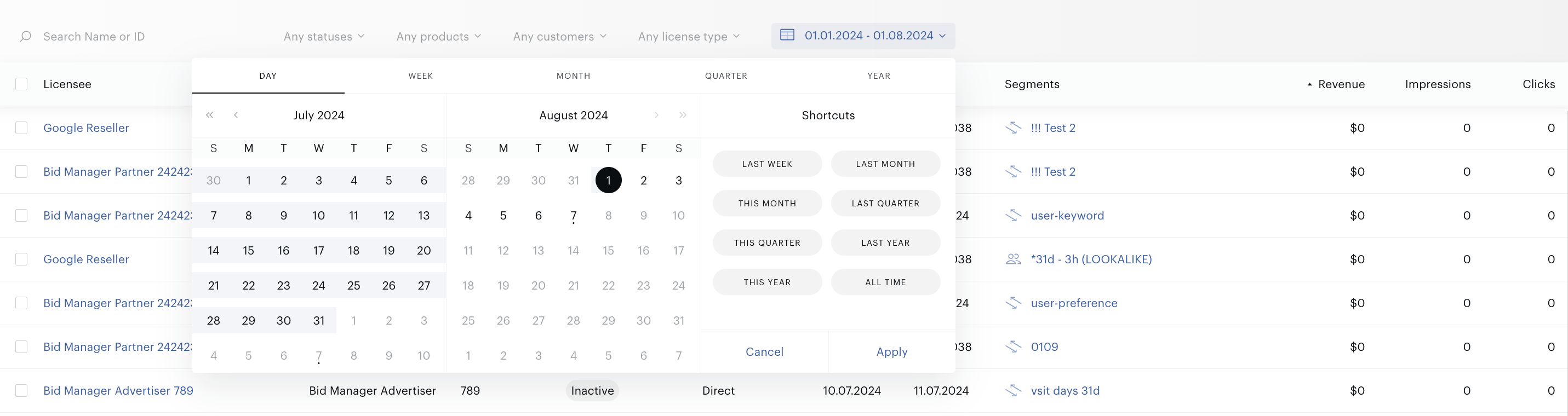
Working with the licensees, it is possible to get Revenue, Impressions, and Clicks metrics for various date ranges. By default, the range equal to the current month is supported.
Use the filter that allows you to select all dates or date ranges.
Clicking on the Download button allows you to get an XLS file with licensees' data.
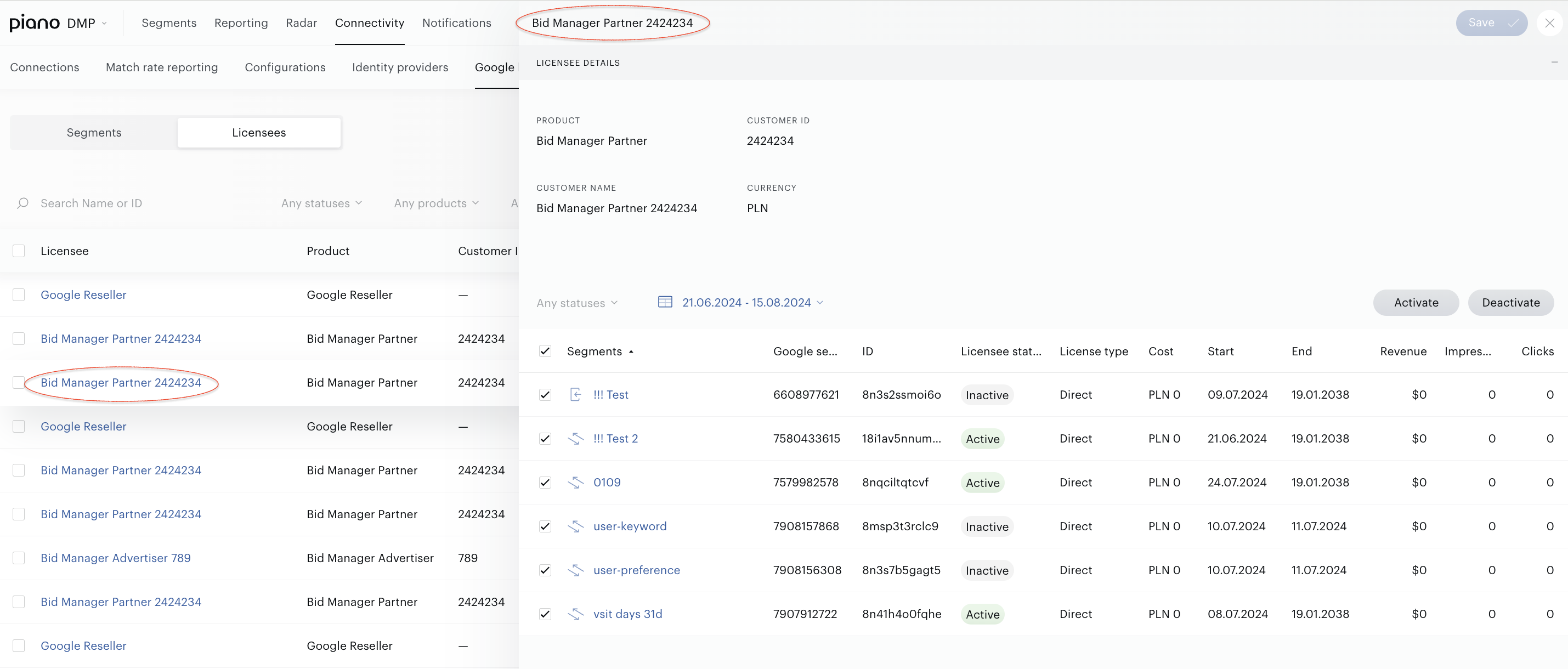
Clicking on the row in the Licensee column allows you to open the Licensee details builder:
Bulk operations
The following operations are supported:
-
Change the segment status.
-
Activate or deactivate the license.
To change the segment status, select the segment (one or more) and press the Closed or Open button:
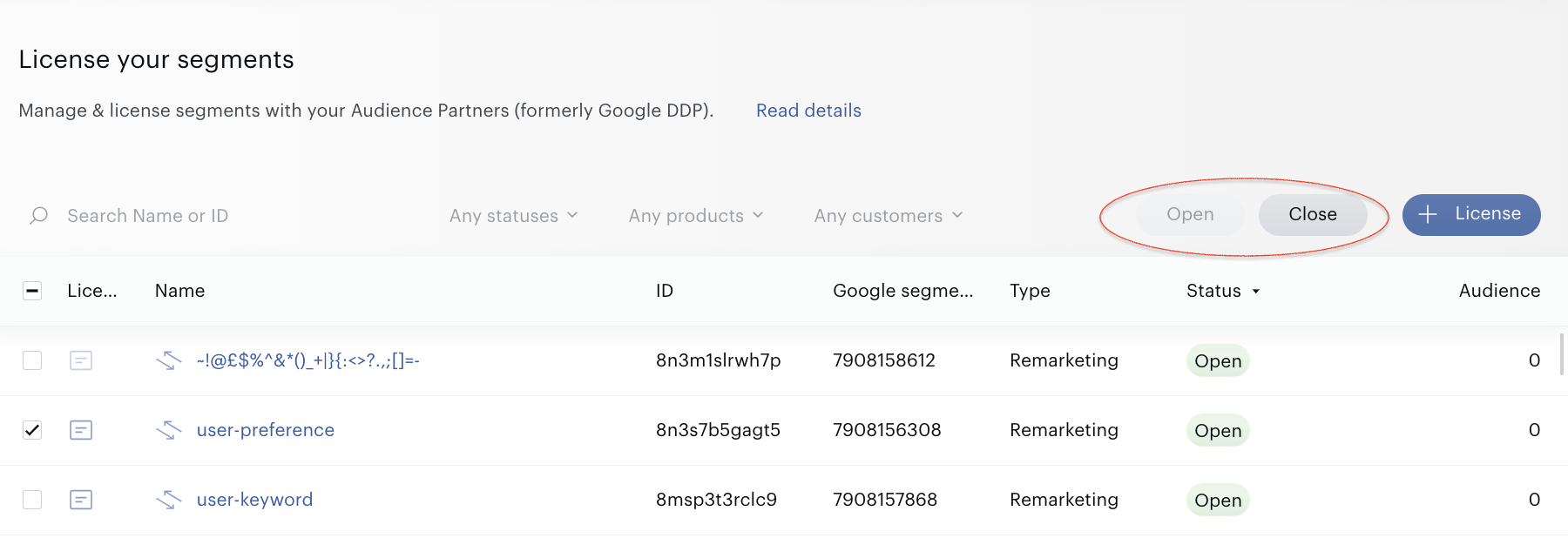
To activate or deactivate the license, while in the Segment details builder, select the license (one or more) and press the Activate or Deactivate button. To save changes, press the Save button:
Piano Audience Google Licensing and Audience Partner UI discrepancies
Working with the Audience→Connectivity→Google licensing feature, please keep in mind that it can differ from the Audience Partner UI (DDP legacy UI). There are some reasons mentioned below.
The new Audience Partner API does not support some features so far. Some features have been deprecated altogether, such as:
-
Segments→Segment Metadata→Source information
-
Segments→Import/Export Segment using CSV
Some features are planned to be released further (there are no release dates), such as:
-
Global Licenses→Pricing History
Audience Partner API does not provide Customer data such as Customer’s currency. This is why when you create a Global license, you cannot see some parameters related to the Customer in the Audience→Google licensing UI forms.
Audience Partner API returns metrics (Revenue, Clicks, Impressions) based on the time zone of the customer (owner of the list). The Audience Partner UI always returns metrics using the Pacific time zone (America/Los_Angeles). It means that when comparing metrics in the Audience→Google Licensing UI and in the Audience Partner UI, you can see the difference in values.
According to Google, they are already working on the issue.
Product mappings
When licensing segments (user lists) in the UI, there is a drop-down to choose the product. Here is the mapping from the Audience Partner UI (DDP Legacy UI) to the Audience Partner API and from the Audience Partner API to the Audience→Google Licensing UI.
|
Audience Partner UI |
Audience Partner API |
Audience→Google Licensing UI |
|
AdWords and DoubleClick Ad Exchange |
GOOGLE_ADS |
Google Ads |
|
DFP Legacy |
GOOGLE_AD_MANAGER |
Google Ad Manager |
|
DoubleClick for Publishers |
GOOGLE_AD_MANAGER |
Google Ad Manager |
|
Bid Manager Advertiser |
DISPLAY_VIDEO_ADVERTISER |
Bid Manager Advertiser |
|
Bid Manager Partner |
DISPLAY_VIDEO_PARTNER |
Bid Manager Partner |
|
Google Reseller |
RESELLER |
Google Reseller |
|
DoubleClick Audience Center |
Deprecated |
N/A |
|
Global License: Sell side |
DATA_MART_SELL_SIDE |
Global License: Sell side |
|
Global License: Buy side |
DATA_MART_BUY_SIDE |
Global License: Buy side |