
In certain scenarios, you may want to streamline the view in your My Account Library tab by hiding specific free access type items. Follow these step-by-step instructions to achieve this customization. This approach will hide access related to custom, grant access and registration terms.
Hiding Access-Type Items
-
Open the My Account Library Components template.
-
Find the following line of code:
HTML<script type="text/ng-template" id="/widget/myaccount/partials/library/_library_list_item.shtml"> -
Under this section, find:
XML<tbody ng-repeat="libraryItem in collection | orderBy: 'resourceName' track by libraryItem.id "> -
Change the first
<tr>to<tr ng-if="libraryItem.type != 'access'">
Hiding the Subscription/Access Count
If you decide to hide access-type items, you may also want to conceal the count of active items in the Library, since it will still display the active subscription/access count for the items you've hidden via the steps above.
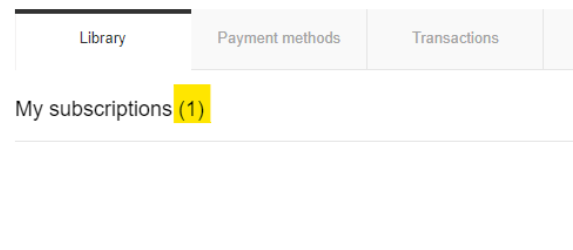
Follow these additional steps.
-
Open the My Account Library Components template
-
Find the following line of code:
HTML<script type="text/ng-template" id="/widget/myaccount/partials/library/library_list.shtml"> -
Under this section, change:
XML<t context="checkout.platform">My subscriptions</t> ({{ active ? activeLibrary.length : inactiveLibrary.length }})To:
XML<t context="checkout.platform">My subscriptions</t>