
To change the format of the dates shown in My Account, Checkout, or Offer templates, you can use the Localization dashboard under Manage → Localization.
For example, if you'd like to change the format of the expiration date of a subscription in My Account for the My Account Library Components template's variable libraryItem.expirationMsg you would need to update the date formats in the Localization dashboard for the following strings:
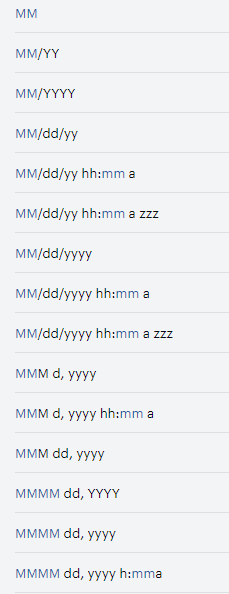
Please note, that you need to keep the format of the date values (Y/y - year, M - month, D/d - day. H - hour, m - minutes, a - AM/PM, zzz - timezone) the same but you can swap them around and regroup them in order to change the format of the date.
In order to translate the actual names of the months and the words “year” or "month" and similar, you need to find those strings in the Localization dashboard and translate them. If you're not able to find a specific value or string for translation, please reach out to a support representative at support@piano.io.