
You are also able to take advantage of Shared subscriptions when selling Gift terms.
This flow applies to combining Shared Subscriptions with the Gift terms only. It is not available for renewable gifting, because renewable gifting and Shared Subscriptions are mutually exclusive.
Prerequisites:
-
You have created a landing page, where you are going to show a gift offer
-
All the emails related to Gifts enabled in the Email Manager
-
The gift term setup includes Shared Access tokens
-
The gift redemption URL has been specified
Once a user chooses to buy a gift from your offer and logs in or creates a new account, they'll be able to choose the gift recipient and delivery date (including a customized gift message).
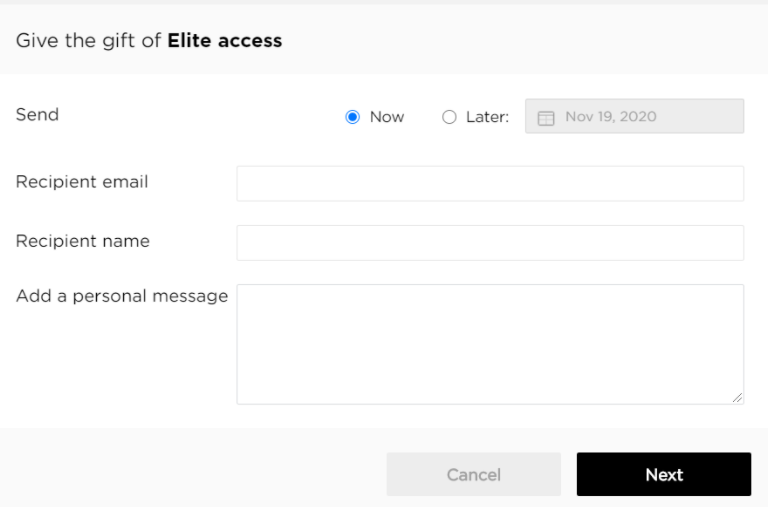
Once the purchase is completed, the gift recipient will receive the notification Voucher Delivery (which needs to be enabled i the Email Manager first) informing them about the gift they’ve been sent and a page, where they can redeem the gift.
Now when the gift recipient comes to this URL (e.g. https://demo.piano.io/?voucher_code=PDQTD4A), they will see a modal asking them to redeem the gift. Once they click Redeem they will be shown a shared accounts screen, where they can add up to “X” users that should have also access to the gifted term. The “X” amount of users is defined by the shared access token value in the gift term settings. Here you can also define the access length of the gifted access.
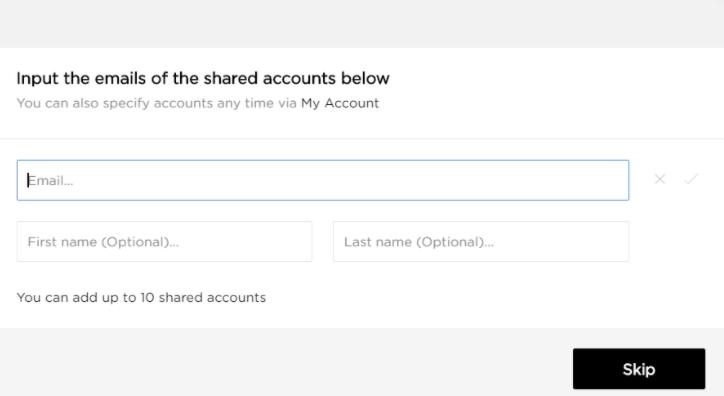
Once complete (or skipped), the gift receiver will receive access based on the gift term settings and if any shared accounts were input, these users will receive the notification Shared subscription: Invitation (which first needs to be enabled in the Email Manager).
Please note, that all the child accounts have to register themselves first before being able to redeem the shared gift subscription.