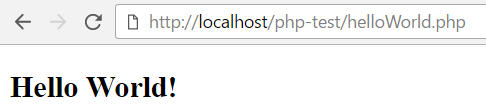
Serving the "Hello World!" PHP script using XAMPP
-
Download the XAMPP installer from Apache Friends
-
Install XAMPP to C:\xampp
-
Create a new directory, php-test, under C:\xampp\htdocs
-
Save this PHP script as C:\xampp\htdocs\php-test\helloWorld.php
<!DOCTYPE html> <html> <head> <title>Hello World!</title> </head> <body> <?php print "<h2>Hello World!</h2>"; ?> </body> </html> -
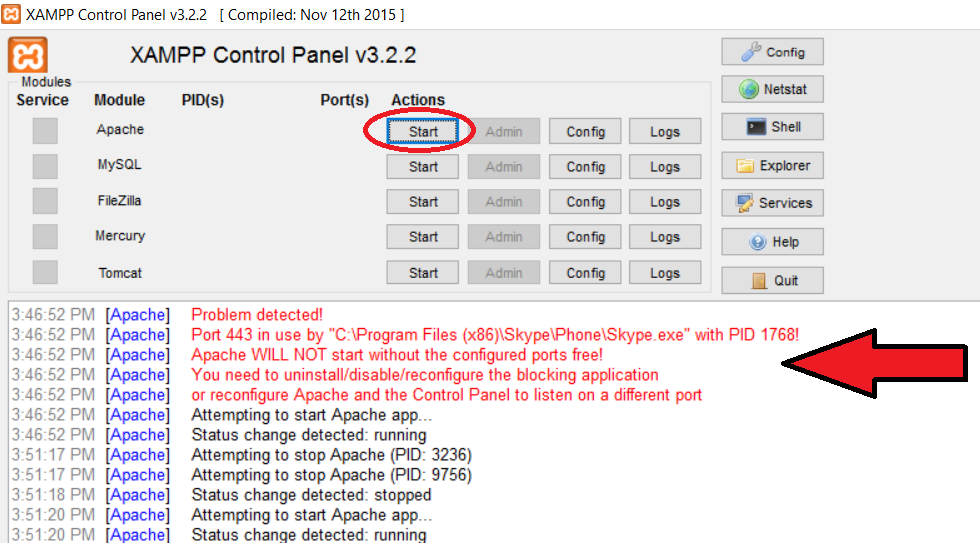
Open the XAMPP Control Panel and start Apache (see red circle below)
-
-
If another app uses port 443 (for example, Skype), you'll see an error (red text above). Close that app and restart Apache.