
Introduction
The failed subscription reactivation flow was developed to trigger an additional notification and guide subscribers through 3DS authentication in order to mitigate payment failures related to PSD2 Strong Customer Authentication (SCA) requirements in the European Union. Under PSD2, banks are generally required to authenticate online payments above 30 EUR/GBP, meaning a consumer’s payment method must be verified via 3D Secure during the initial purchase or when suspicious activity is detected. This can impact transaction authorizations in scenarios such as first-time purchases or legacy subscription renewals (for example, subscriptions originally created without 3DS authentication that later experience a price increase).
To help prevent terminal failures caused by missing 3DS authentication, this flow can be triggered when an authentication error is returned by supported payment providers. The 3DS reactivation flow is specifically designed to address authentication errors for Braintree, Stripe, and Cybersource TMS. If you are using a different payment provider, please contact Piano Support to confirm whether this flow is supported.
Please make sure, that your payment provider account supports or is enrolled in 3D-Secure processing.
Piano Setup
Edit Business
In your Edit Business section navigate to the field called Payment authentication page URL and enter the link to which users should be redirected in order to re-authenticate their subscriptions. This may be a dedicated page or an existing subscription page, it is important to ensure that the Piano script is running and an offer is shown on this page.

Show Offer
In order to target users with a payment authentication error on their renewal specifically, you have two options.
The first option would be to programmatically show an offer on the URL defined above via JavaScript as described here.
The offer must contain at least one purchasable term. For renewal recovery use cases, we recommend including the same term associated with the failed subscription to ensure a consistent user experience.
If multiple terms are included in the selected offer, the user may choose from those terms. To restrict users to a specific renewal term, configure an offer that includes only that term.
For this flow to be most effective, we recommend configuring a Grace period on your term(s). More information about this is available here.
The offer does not need to contain the specific term of the failed transaction itself.
The second option would be to use a Composer Experience.
For this, you would need to add the above-configured URL to a Composer experience Effective Pages card. For example, like this:
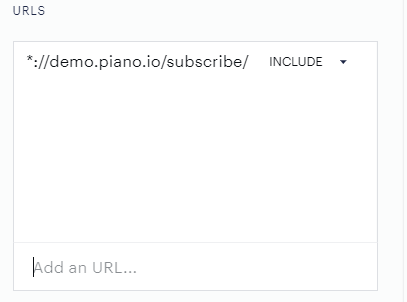
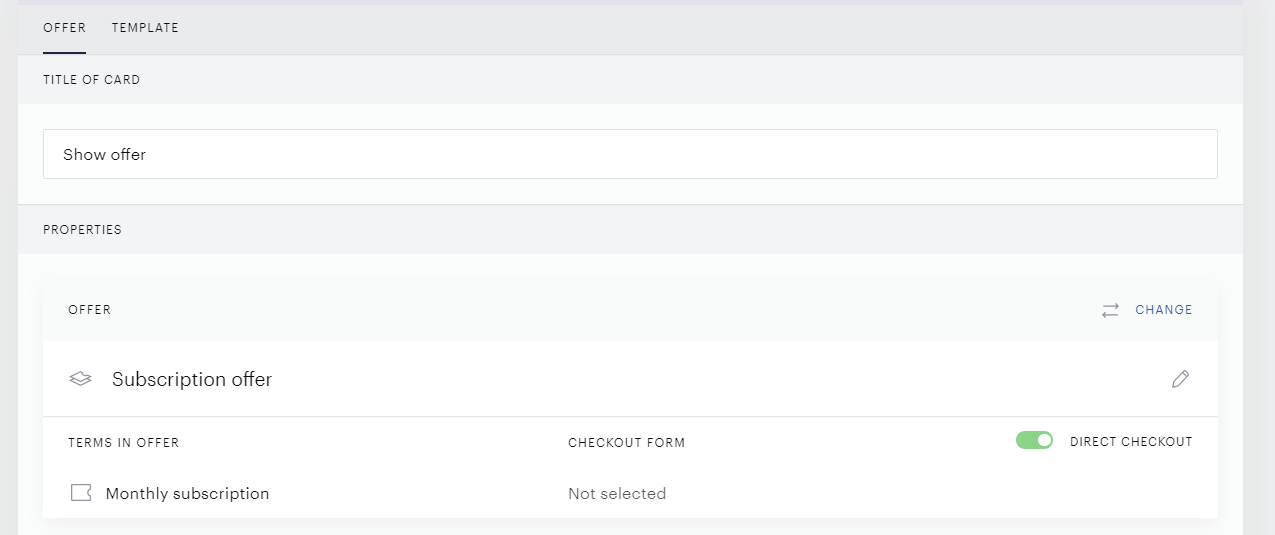
In the User Segments section, you can target All users, and in the Actions section, you can add a Show Offer card, for which the selected offer would contain at least one term available for purchase.
Please make sure, to exclude the Payment authentication page URL from any other experiences.
Templates
After the above setup is completed, please make sure, that your Checkout template (under Manage → Templates) contains the following code. If not, simply add it to the bottom of the template:
<div view="subscriptionReactivation">
  <div reactivate-subscription-component></div>
</div>
If you'd like, you can also revert the Checkout template back to default. This will, however, remove any customization you may have applied previously.
Email Manager
As a last step for the flow to be complete, please enable the notification 3DS 2.0 Authentication (under Manage → Email Manager).
The 3DS 2.0 Authentication email contains the price of the next (full-price) period of the user's subscription incl. or excl. taxes if enabled.
Note, that in case of a 3DS authentication failure (with the error Authentication is required), only the email notification 3DS 2.0 Authentication will be sent.
For this specific payment failure, the notification Subscription renewal failure will not be sent in addition, so a user with a 3DS authentication failure will only receive one email.
The Subscription renewal failure email will still be sent for other types of payment failures, including for example insufficient funds or an expired card.
User Flow
Once a user's subscription fails to renew due to a 3DS authentication error, they will receive a 3DS 2.0 Authentication email with a link that will redirect them to your website.
A default notification may look like this:
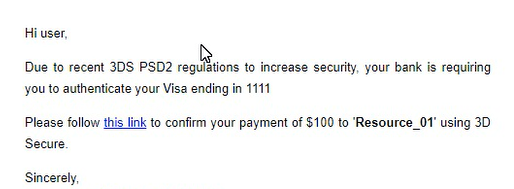
Once the user clicks on the link, they will be redirected to your website (to the URL configured in this step that includes the subscription ID in the reactivate_sub parameter) and they will be presented with a modal template that will prompt them to renew their subscription by authenticating their payment method. If the user is not logged in, he/she can see the full information about the subscription details but is not able to complete the flow as an anonymous user. After clicking on Authenticate, the user will be prompted to login in order to proceed.
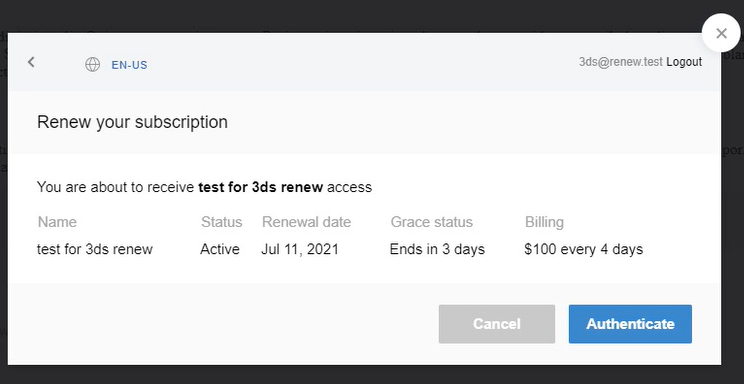
Once a user clicks on Authenticate, they will be shown a screen where they can either select their saved payment method or add a new payment method to renew their subscription after the initial payment failure.
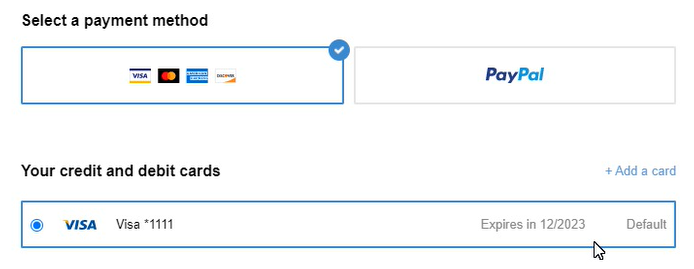
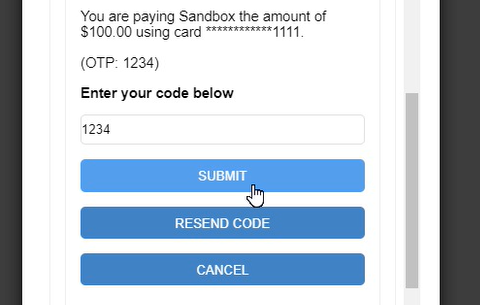
Once the user clicks on Complete checkout, a new modal window will be presented where the user will need to enter a code to verify their payment method. The way this code is delivered depends on the user's credit card institution or bank, usually, it will be accessible via a text message or in their internet/online banking.
Once the code is entered, the user can click on Submit to complete the authorization flow.
Once the subscription is successfully renewed, the user will receive a confirmation of their renewal and is granted access for the duration of their subscription term's billing period. Any future renewals will now be processed correctly through the authorized payment method.
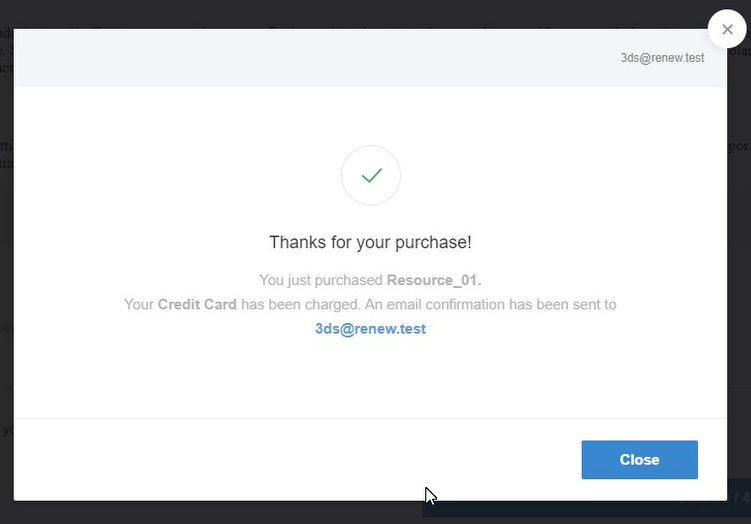
So at the end of this flow, the end user will have successfully reactivated their old subscription and not a created new subscription.
Even if the term has a trial period configured, the user will not enter the trial period again. They will start the period that should have been renewed before the authentication payment failure (standard, non-trial period of the subscription).
For details about the 3DS authentication for scheduled upgrades see here.