
Bancard is a Paraguayan payment provider. Piano supports Bancard for credit-card payments only, for businesses located in Paraguay, and for transactions in Paraguayan guaraní (PYG) or US dollars. Renewals are supported. Before you start, obtain a Bancard merchant account and its public and private keys.
Supported Countries
For this payment provider, Piano supports the following countries:
|
Supported Countries |
|---|
|
Paraguay |
Please reach out to your Piano Account representative in case a country supported by this payment provider is not listed in the table above.
Supported Currency
Piano supports the following Bancard supported currencies:
|
Supported Currencies |
|
|---|---|
|
PYG |
USD |
Note, that Piano may support only selected currencies available in the payment providers dashboard.
Merchant Requirements
Bancard requires your business to be located in Paraguay.
Transaction Volume
For more information about transaction volumes and pricing, please reach out to Bancard directly. All available contact options are listed under the following link.
Supported Payment Methods
Piano supports the following payment methods for this payment provider:
|
Payment method name |
Are renewals supported? |
||||||||||||
|---|---|---|---|---|---|---|---|---|---|---|---|---|---|
|
Credit card (Mastercard, Visa, American Express, Discover, Diner's Club) |
Yes |
Supported Features and Functionality
|
Feature/Functionality |
Supported? |
|
Refunds |
Full (only available 24 hours after the transaction has settled) |
|
Apply Terms Wizard |
Yes |
|
My Account - Add payment method |
Yes |
|
My Account - Edit payment method |
No |
|
My Account - Delete payment method |
Yes |
|
Publisher dashboard - Add payment method |
Yes |
|
Publisher dashboard - Edit payment method |
No |
|
Publisher dashboard - Delete payment method |
Yes |
|
Tax Providers and Types |
TaxJar / Avalara |
|
Transaction descriptors |
None |
|
Frictionless |
No |
|
3DS / SCA |
No |
|
Fraud prevention |
No |
|
Passive churn prevention |
Yes - Standard support |
|
Payment token import support |
Yes* |
*For more information about the payment token import please visit this link.
How to integrate Bancard with Piano
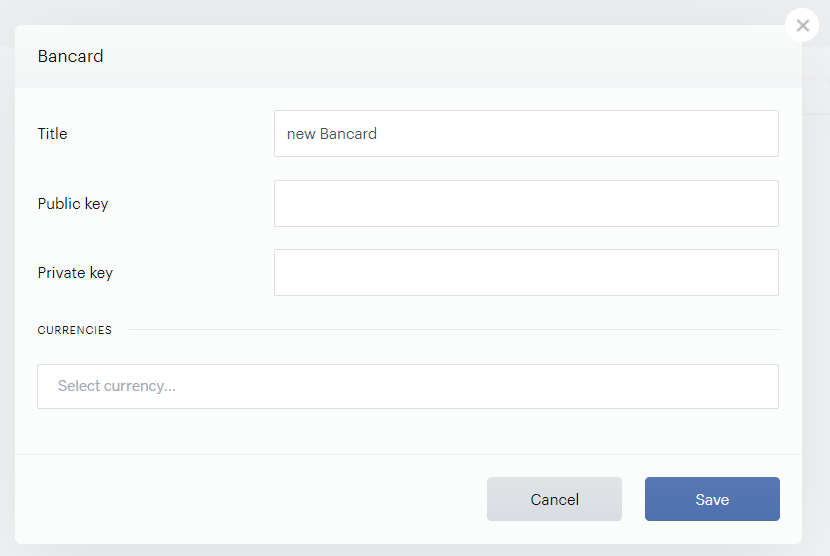
To integrate your Bancard account with Piano, simply click Edit Business→Payment Provider→Bancard (Add). Enter your payment provider credentials in the available fields, and all the currency options you would like to be available to customers.
-
Public key: Enter the Public key from your Bancard account.
-
Private key: Enter the Private key from your Bancard account.
-
Currencies: Currently only payments in Paraguayan Guarani (PYG) and USD are supported.