
The Subscription log report offers a filter, with which you’re able to see the reason why a subscription is no longer active (cancellation, payment failure, upgrade, …).
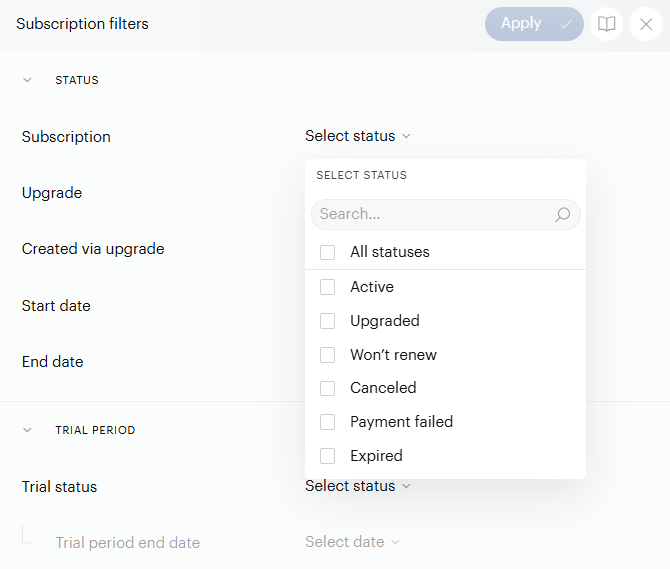
Subscription statuses:
Active - a subscription that has an active access
Upgraded - a subscription that was successfully upgraded, and therefore another subscription ID was created for the user
Won’t renew - this status applies when a subscription is in its final billing period and auto-renewal has been disabled. It can also appear in other scenarios, such as when an upgrade is scheduled
Canceled - a user’s subscription was intentionally canceled by the user or through the publisher’s dashboard
Payment failed - the user’s subscription became inactive due to a payment failure during the renewal
Expired - the subscription ended because the auto-renew option was disabled before the last billing date, the subscription was labeled as expired with an external verification, or the manually renewed access ended