
Once you add a new card to the customer's wallet as per these instructions, you would also need to select it as the default payment method for the active subscription.
This can be done after you look up the user's account in the dashboard, click on the tab Subscriptions, and click on the active subscription.
In the new window, you'll now have the option to choose the default payment method.
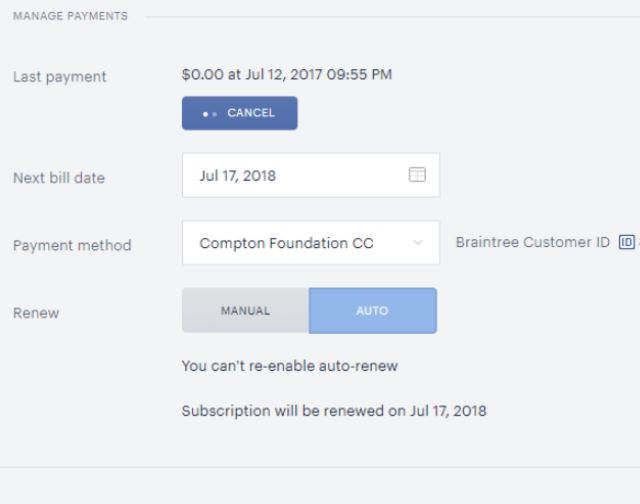
Afterward, you are able to delete the old credit card in the Wallet tab.
Please note, that you are not able to delete a credit card that is linked to an active subscription, no matter if the auto-renewal is enabled or disabled.