
CyberSource initial configuration
Within the CyberSource Business Center, you must first configure some prerequisite settings to allow Piano to successfully run both first-time and renewal payments:
Plugging values into Piano
To connect your payment provider to Piano, please choose the option CyberSource TMS (Tokenization Management System) in the Piano dashboard under Edit Business → Payment provider from the left-hand side menu. On configuring your CyberSource integration in Piano, we require five sources of information:
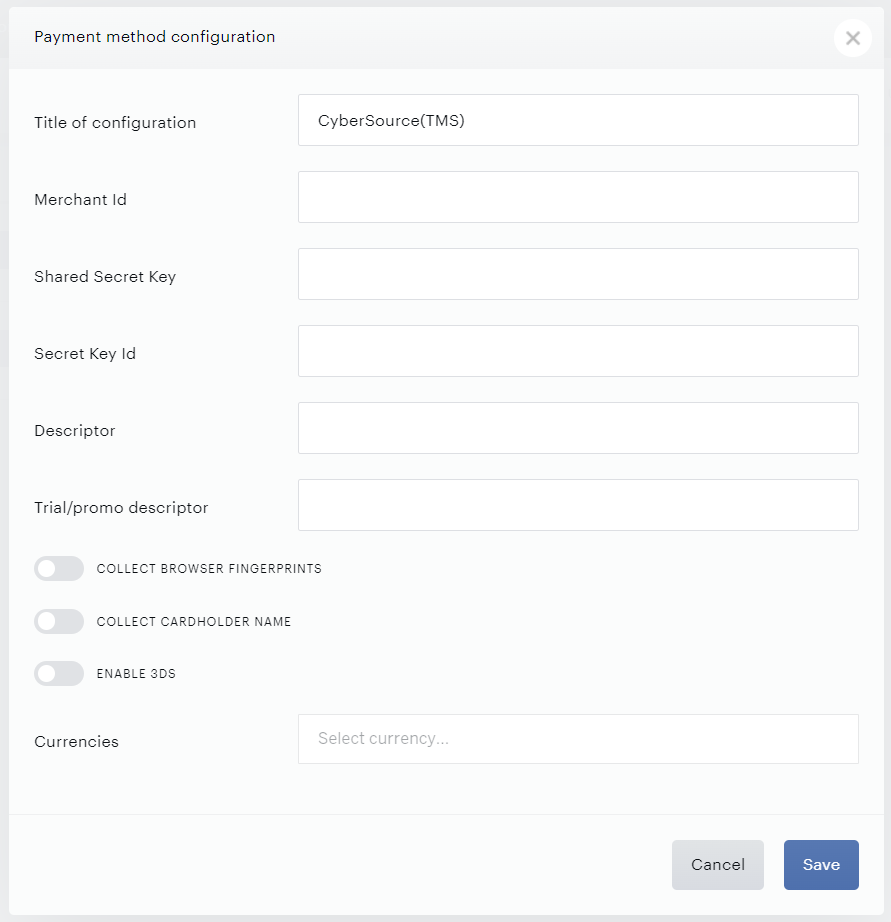
These are delineated below along with an explanation of where to locate them in your CyberSource dashboard.
Optionally, you can also toggle on the following features.
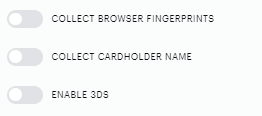
More information about them is available here.
Merchant ID
This is the Merchant ID associated with your CyberSource account. You can find it by navigating to your account in the CyberSource Business Center.
Shared secret key
To locate or create your Shared secret key, please follow the steps below:
-
Log in to the new Business Center.
-
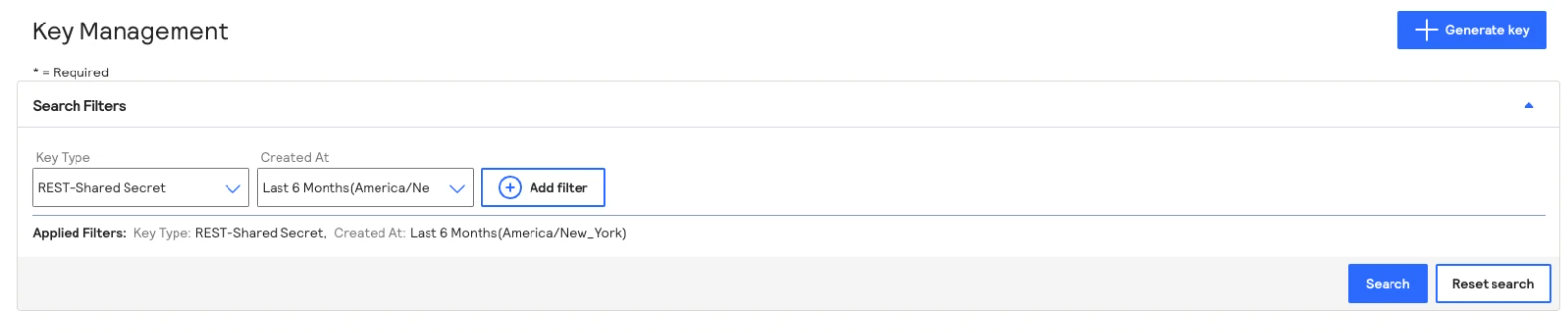
In the left navigation panel, choose Key Management.
-
Click Generate Key button:
-
Choose REST - Shared Secret.
-
Click the Generate key button.
-
Copy the key and Shared Secret from the user interface or download it to a .txt file.
-
Insert it into the respective field in the Piano payment provider configuration.
Secret key ID
After retrieving the Shared Secret, navigate back and copy your Key ID.
Then paste that value into the corresponding location in the Piano setup.
Currencies
Next, input the currencies that your CyberSource setup is configured for within the Piano interface. As long as your account with CyberSource can process in those currencies, you can choose any that are relevant to you. No specific information is required from your CyberSource dashboard to input these values.
Please note while Cybersource operates in many countries via a network of acquirers and resellers, some countries may have specific requirements to process transactions. Countries such as Argentina, Brazil, Chile, Paraguay, Saudi Arabia, and Taiwan will require additional customization, while certain acquirers or resellers may have additional requirements, always check eligibility to transact within your country and inquire with CyberSource or the respective reseller about merchant and processing requirements. Should you wish to operate in such countries or via Cybersource reseller please contact your Piano representative.