
Piano does not expose all PayU transaction data directly. However, you can retrieve the full payment record (including fields not surfaced in the Piano dashboard) by calling the PaymentsOS Retrieve a Payment API endpoint. This endpoint returns the complete payment object that PayU Hub stores for each transaction.
This applies to all PayU Latam payment provider integrations:
-
PayU Latam – card integrations (Argentina, Brazil, Chile, Colombia, Peru)
-
PayU Latam – PSE (Colombia)
How to retrieve additional payment data
Use the PaymentsOS Retrieve a Payment endpoint:
Endpoint: /payments/{payment_id}
You will need your PaymentsOS API credentials (available from your PayU Hub dashboard) and the payment ID associated with the transaction.
Example response
The API returns a JSON object containing the full payment record, including fields such as payment status, amount, currency, provider-specific data, and any additional metadata passed during the checkout flow. Below is an example of a typical response structure:
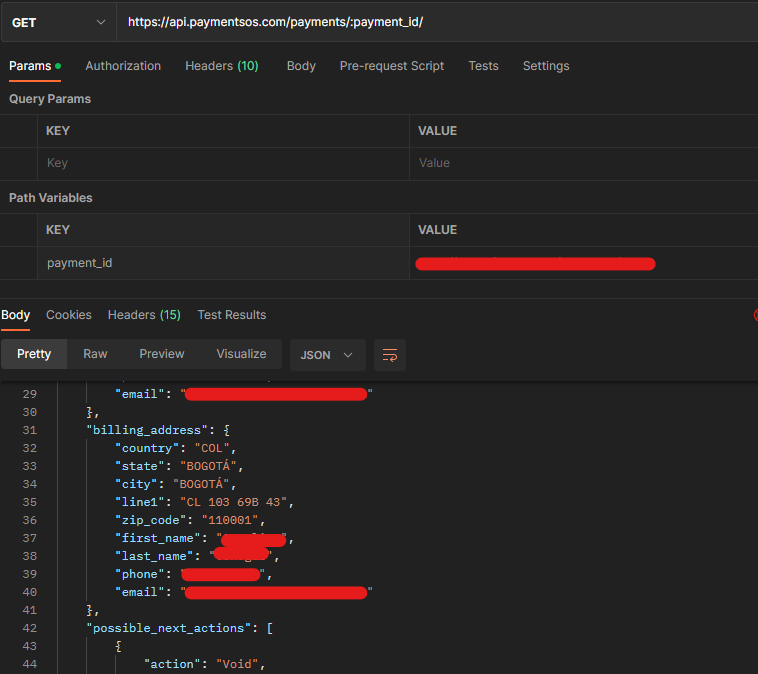
The exact fields available depend on the PayU country integration and the data passed at checkout. Refer to the PaymentsOS API reference for the full schema.
A common use case is enriching ERP or accounting system integrations (such as SAP) with transaction metadata that originates in the Piano checkout flow and is forwarded to PayU. By calling the PaymentsOS API directly, your system can access this data without additional configuration in Piano.