

This feature is currently under review and should not be used until further notice.
PayU Latam Argentina Overview
Our integration with PayU Latam via PaymentsOS offers a dedicated payment provider setup for clients in this region. With a dedicated payment provider for Argentina, they can offer local payment processing methods relevant to Argentinian customers. PayU is one of the most active investors in the fintech space and is always looking for opportunities to further innovation.
Merchant Requirements
Please review this guide on how to set up a PayU Hub account needed for this PayU Latam Argentina payment provider integration.
For more information about merchant requirements, please review the frequently asked questions here and reach out to PayU directly in case of any further questions.
Limitations
Restricted to clients from Argentina, if needed other options for clients from the Latam region are listed here.
Supported Countries
For this payment provider, Piano supports the following currencies.
|
Supported Countries |
|---|
|
Argentina |
Please reach out to your Piano Account representative in case a currency supported by this payment provider is not listed in the table above.
Supported Currency
For this payment provider, Piano supports the following currencies:
|
Supported Currencies |
|
|---|---|
|
ARS |
USD* |
*Supports USD when converted by PayU.
Note, that Piano may support only selected currencies available in the payment providers dashboard.
Supported payment methods
Piano supports the following payment methods for this payment provider:
|
Payment method name |
Are renewals supported? |
||||||||||||
|---|---|---|---|---|---|---|---|---|---|---|---|---|---|
|
Credit card (MasterCard, Visa, Amex, Diners Club, Discover, Cabal - credit and debit, JCB, Maestro, Tarjeta Shopping, Tarjeta Naranja, CMR Falabella, Cencosud, Argencard) |
Yes |
Supported features and functionality
|
Feature/Functionality |
Supported? |
|---|---|
|
Refunds |
No* |
|
Apply Terms Wizard |
Yes |
|
My Account - Add payment method |
Yes |
|
My Account - Edit payment method |
No |
|
My Account - Delete payment method |
Yes |
|
Publisher dashboard - Add payment method |
Yes |
|
Publisher dashboard - Edit payment method |
No |
|
Publisher dashboard - Delete payment method |
Yes |
|
Tax Providers and Types |
Not supported |
|
Transaction descriptors |
Not supported |
|
Frictionless |
No |
|
3DS / SCA |
No |
|
Fraud prevention |
No |
|
Passive churn prevention |
Yes - standard support |
|
Payment token import support |
Yes** |
|
Trials |
Free / Paid |
|
Minimum payment amount |
10 ARS |
|
Country specific checkout fields |
DNI (personal ID - CUIT or CUIL) |
*Currently refunds are not supported.
**For more information about the payment token import please visit this link.
How to integrate PayU Latam Argentina with Piano
In case you're a merchant from Colombia, please go to Edit Business → Payment Provider → PayU Argentina and click on Add New.
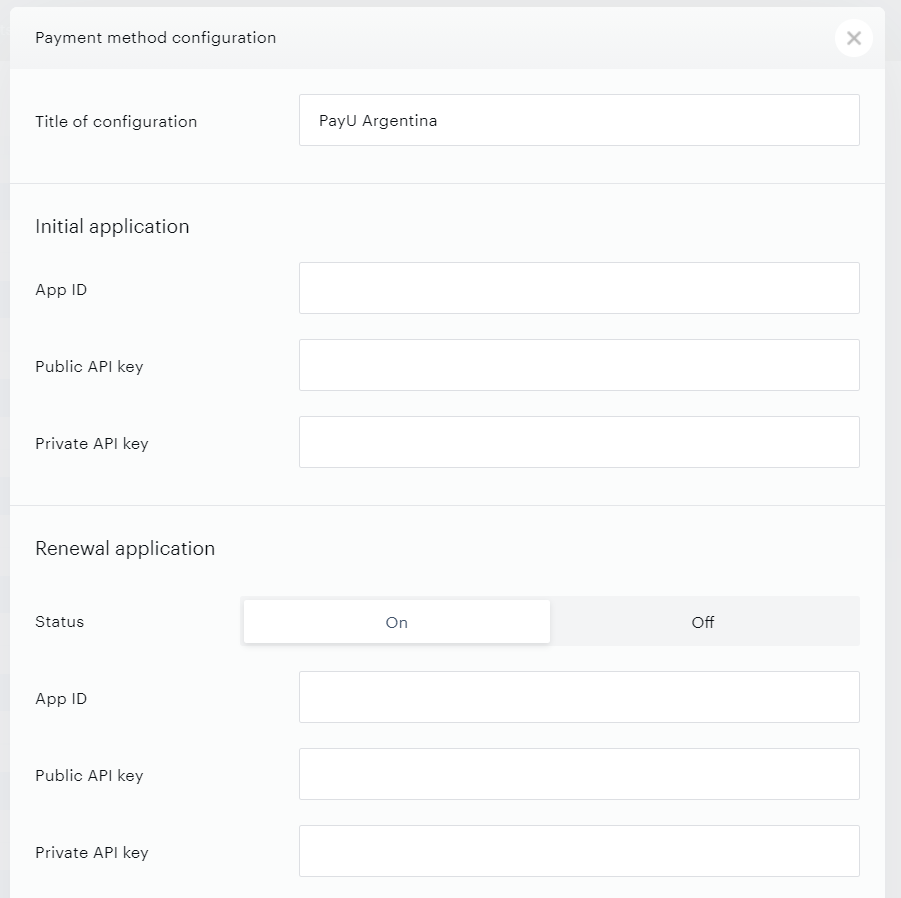
Enter your payment provider credentials in the available fields and pick a title for your configuration as shown below. If you would like to offer also renewal support, select On in the Status field and fill in the Renewal application's details. If you don't want to support renewals, select the option Off.
-
Title of configuration: The name of your configuration. This name will not be exposed to your users.
-
App ID: The App ID from your PayU account.
-
Public API key: The Public API key from your PayU account.
-
Private API Key: The Private API key from your PayU account.
-
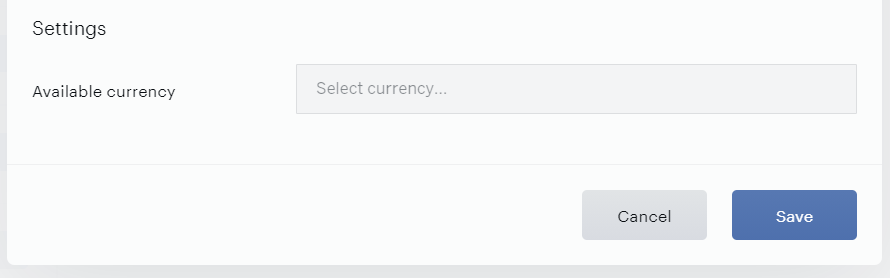
Available currency: The only currency available for this configuration is ARS (Argentine Peso).
Click Save to add this payment provider once you've finished the configuration.
If you need to retrieve additional transaction details that are passed to PayU during checkout, you can do so using the PaymentsOS API. For more details, see this FAQ.