
You can share direct feedback with our Product team using the Provide Feedback button available in your Piano Dashboard.
This is a great way to send suggestions, comments, or highlight issues directly to the team that builds our products.
Where to find it:
-
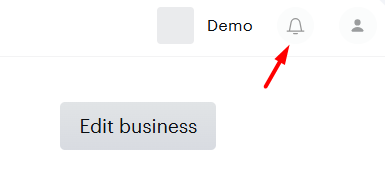
In your Piano Dashboard, click on the bell icon (🔔) on the top right in the navigation bar.
-
Select Provide Feedback from the top of the modal.

What happens next:
When you click the button, you'll be presented with an input form to:
-
Enter a title for your feedback
-
Add detailed comments or descriptions
-
Attach a screenshot, if helpful, to provide additional context
Customer Communication:
Once submitted, you will automatically receive a confirmation email stating:
-
We’ve received your input
-
We’ll reach out only if additional details are required
Our Product team regularly reviews submitted feedback to guide future improvements and feature development.
For updates and announcements, click the bell icon in your Piano dashboard. You can also visit our Release Notes page to see the latest feature releases.
Note: If you’re looking to discuss roadmap items or inquire about future releases, please reach out directly to your Account Manager.