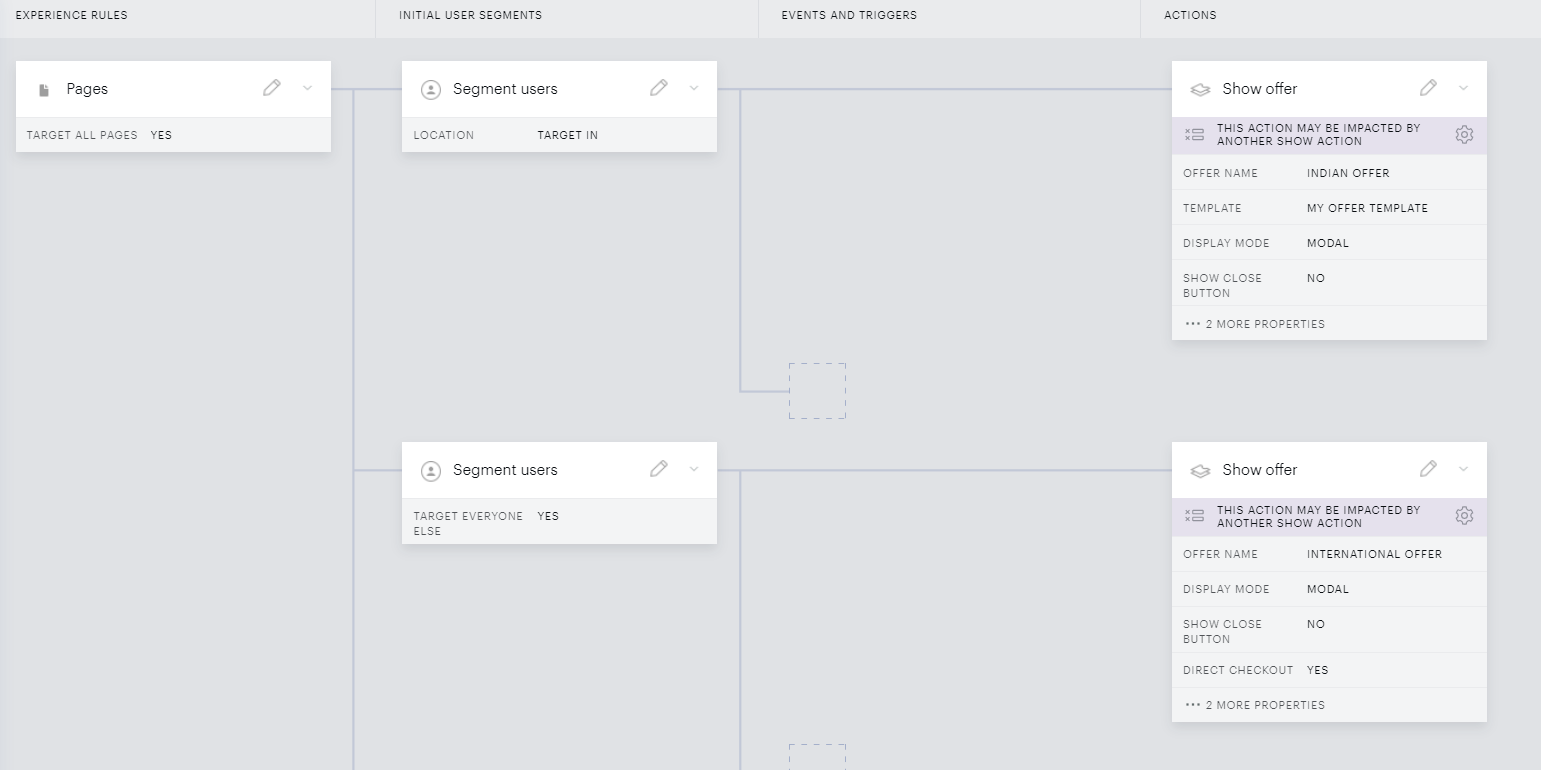
If you want to set up a certain price/currency combination for one country or region and another price/currency combination for the rest of the world, this can be done via Composer's user segmentation.
Let's say, that you'd like to show a monthly term priced at 730 IND in India only, and the rest of the world would a term with the pricing of 9,99 USD/month.
As a prerequisite, your payment provider would need to support both currencies. Then, you would need to create 2 payment terms (one with the price in USD and the second one in INR - Indian Rupees). Also, 2 different offers - an International and an Indian one - would need to be created which would contain the respective terms.
Once this is done, you can create a Composer experience, that would use geo targetting in the User segment card to show the Indian offer only for users accessing your website (based on their GeoIP address) from India, and use the Everyone else user segment to show the International offer to all other users. For example: